Most hybrid offices run into the same paradox within a quarter of going hybrid: half the desks sit empty most days, and yet employees complain there is nowhere to sit when they come in. Desk sharing is the operational answer. Fewer desks than people, booked in advance, allocated by rules instead of by who shouts loudest. This guide covers what desk sharing actually is, how to size your ratio from real data, what desk sharing software needs to do, and how to roll it out without the rollout itself becoming the thing employees complain about.

Desk sharing is a workplace model where a single desk is used by multiple employees across the week, instead of one permanently assigned desk per person. Booked in advance, freed when not in use.
Your desk sharing ratio is total employees divided by total desks. Most hybrid offices land between 1.3 and 1.7 employees per desk. The right number for you is the one your last 90 days of attendance data supports, plus a buffer.
Desk sharing software handles four jobs: showing real-time availability, letting employees book in seconds, enforcing your office's booking rules, and tracking what actually got used.
Hot desking and hoteling are both forms of desk sharing. The difference is the booking model. Hot desking is first-come-first-served at the desk. Hoteling requires a reservation. Most modern hybrid offices use hoteling because it removes the morning anxiety.
The rollout is where most desk sharing programs succeed or fail. Pilot one team. Set the ratio conservatively. Communicate the rules. Adjust based on the data after 60 days.
If your office has more desks than the building uses on a typical day, you already know the patterns. Monday and Friday the floor is half empty. Tuesday and Wednesday people complain there is nowhere to sit. The same desk is occupied 38% of the time over a quarter, which means you are paying for 62% of that real estate to host nothing. Multiply that across the floor and the number gets uncomfortable fast.
Desk sharing is the structural answer. Fewer desks than people, booked in advance, allocated by rules instead of by morning arrival time. It is not new (architects have called it hoteling since the 1990s) but the operational practice has only become standard since hybrid work made permanent assignments mathematically silly.
This guide covers what desk sharing actually is, how to size the ratio for your office from real data, what desk sharing software needs to do well, and how to roll it out so that the rollout itself does not become the thing your team complains about.
What desk sharing is
Desk sharing is a workplace model where a single desk is used by multiple employees across the week, instead of being permanently assigned to one person. Employees book the desk they need on the days they come in, and the desk is available for someone else on the days they do not.
The model only works when fewer than 100% of employees come in on any given day, which is true for almost every hybrid office. If your office runs at 100% attendance five days a week, you do not have a desk sharing opportunity. You have a capacity problem. Desk sharing is the answer for offices where attendance varies, which is almost all of them now.
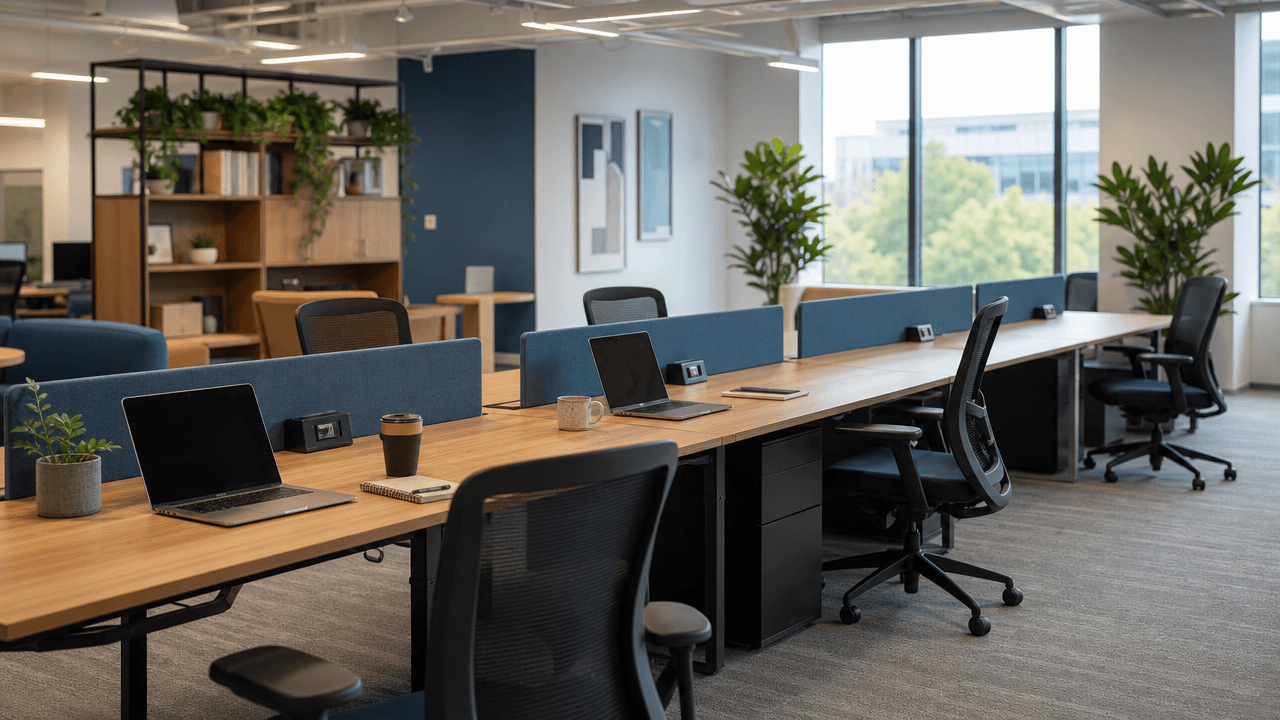
Hot desking, hoteling, and shared desks: the terms explained
The terminology is messier than it needs to be. The clean version:
Desk sharing is the umbrella term. One desk, multiple users across the week.
Hot desking is a form of desk sharing where employees arrive and claim whatever desk is free, with no advance booking. First come, first served.
Hoteling is a form of desk sharing where employees book the desk in advance, the same way they would book a hotel room. Reserved, then used, then freed.
Free address is a corporate-speak label that usually means hot desking but sometimes means hoteling. Ask before assuming.
Shared desk is a generic phrase that can mean any of the above.
In practice, most modern hybrid offices land on hoteling. The advance booking removes the 9am anxiety of arriving and not knowing whether you will get a seat, which is the most common reason hot desking programs lose support from employees. The rest of this guide assumes you are heading toward hoteling, because that is what the math and the operational reality both point to.
How to calculate your desk sharing ratio
A desk sharing ratio is the number of employees divided by the number of desks. The math:
Desk sharing ratio = Total employees ÷ Total desks
A ratio of 1.5:1 means you have 150 employees and 100 desks. A ratio of 1:1 is no sharing at all. A ratio of 2:1 means you have twice as many people as desks, which only works for offices where peak attendance never crosses 50%.
That is the formula. The harder question is what ratio is right for your office.
Start from your last 90 days of attendance data
The wrong way to pick a ratio is to copy a number you read in an article. The right way is to pull your last 90 days of attendance data, find the peak day, and size for slightly above that.
If your peak attendance day in the last quarter was 68 people in a 100-person company, your peak utilization rate is 68%. The ratio that matches is 100 ÷ 68 ≈ 1.47, so 1.5:1 would land your office at full capacity on its busiest day with zero buffer. That is too tight. Add a 10 to 15% margin for growth, new hires, and the inevitable all-hands days. A ratio of 1.3:1 (so 77 desks for 100 employees) leaves room.
If you do not have 90 days of attendance data, this is the first thing your booking tool needs to capture. Run hot desking for a quarter with no ratio change, log the data, then size down.
What ratio range is sustainable
For most small to mid-sized hybrid offices, the sustainable range is 1.3 to 1.7 employees per desk. Inside that range, the variables that move you are:
Attendance policy. Three-day-in-office mandates push your ratio toward 1.3. Two-day-or-less averages can support 1.5 or higher.
Team type. Sales teams cluster on report-out days. Engineering teams cluster around sprint ceremonies. Both create predictable peaks that the average does not show.
Meeting culture. Offices where most meetings are remote-friendly see lower in-office days. Offices with frequent on-site customer meetings see higher.
Neighborhoods. If teams need to sit together, your effective ratio is lower because you cannot use every empty desk for the next person who walks in.
Ratios above 1.7:1 work only with strict booking discipline, fast no-show release, and active enforcement. They are not impossible, but they are operationally heavier. Most offices end up around 1.4 to 1.5:1 after a year of iteration.
For a quick calculation against your own numbers, the desk sharing ratio calculator takes a couple of minutes and outputs a recommended seat count.
What desk sharing software actually does
At its core, desk sharing software handles four jobs:
Shows real-time availability so employees know before they leave home whether a desk is free for the day they want to come in.
Lets employees book a desk in advance, from a phone or browser, in under a minute.
Enforces the booking rules your office picked (advance booking window, cancellation deadline, recurring bookings, neighborhood preferences).
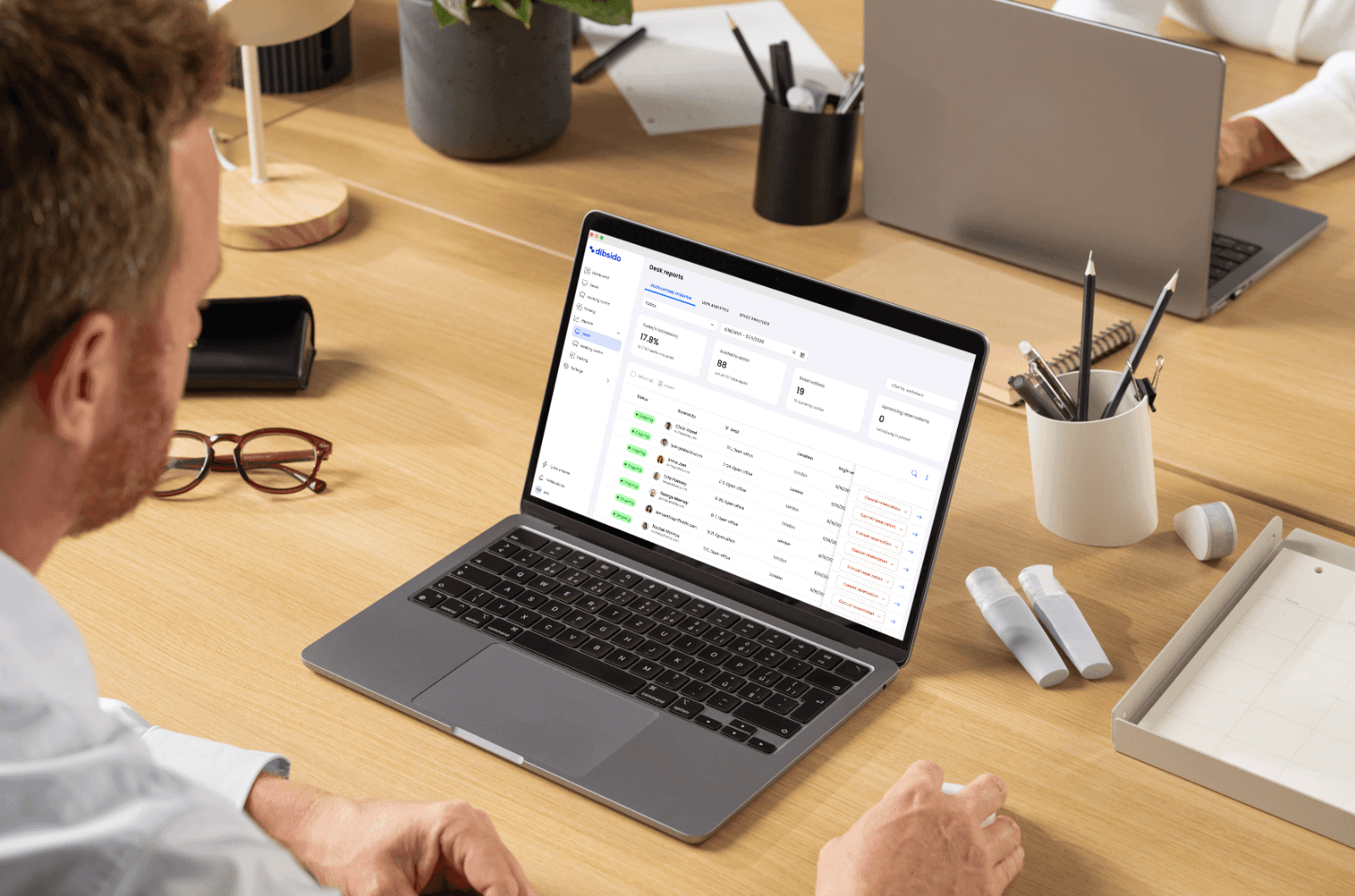
Tracks what actually happens so admins can see utilization, no-show rates, and which desks are over- or under-used.
That is the core. Everything else is a feature on top of those four jobs. If the tool does not do those well, the extras are decoration.
Features that matter for small to mid-sized hybrid offices
If your office has between 20 and 300 employees on a hybrid model, this is the realistic checklist.
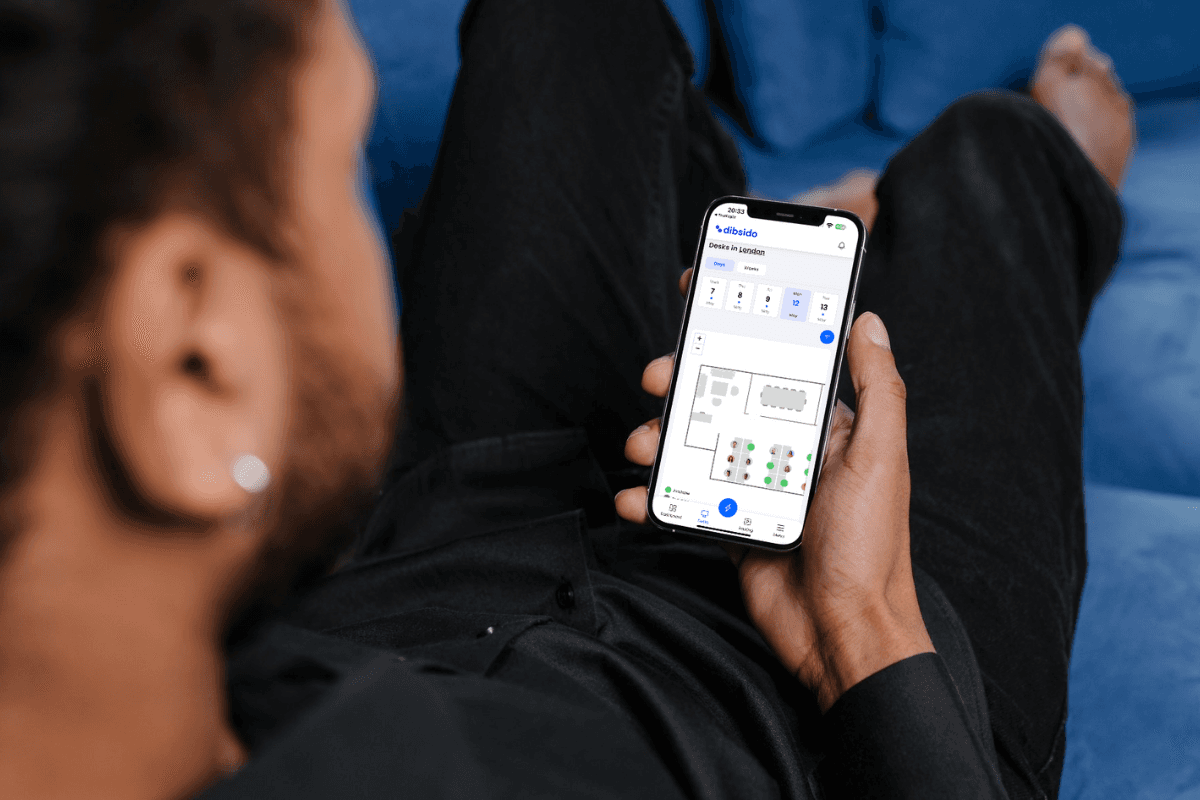
Visual office map. Employees see the floor, click the desk they want, and book. A list of desk numbers without a map turns booking into a guessing game and kills adoption.
Mobile booking under 30 seconds. Anything slower trains people to skip the system. The "book in three taps from a notification" pattern is what makes the tool stick.
Recurring bookings and favorites. Most people book the same desk on the same days. A tool that makes them rebuild that booking weekly is creating friction the spreadsheet did not have.
Easy cancellation. Same one-tap pattern as booking. This is what keeps no-show rates manageable.
Day-before booking reminders. A notification the evening before the booking that asks the employee whether they still need the desk, with a one-tap cancel. Making cancellation easier than non-cancellation is what keeps the ratio working without an enforcement layer.
No-show tracking. Surfaces who booked but did not arrive. The software flags the data so admins can apply the office's policy consistently. The software does not auto-punish; humans handle that conversation.
Mix of fixed and flexible desks. Tag certain desks as permanently assigned (reception, accessibility cases, specialized equipment) and exclude them from the shared pool. The rest stay bookable. The tool handles both setups without manual workarounds.
Neighborhood and zone support. Group desks by team, by floor, by quiet zone. Employees book within their neighborhood when teams want to cluster.
Calendar integration. A booking that lives in the employee's Google or Microsoft 365 calendar gets seen. A booking buried in a separate app does not.
Slack or Teams notifications. Booking confirmations, reminders, and check-in nudges where employees already work. If they have to open a separate app to get reminded, half of them will forget.
Utilization reporting. Admin dashboards that show booking rates, check-in rates, no-show rates, and per-desk usage over time. This is what makes the quarterly ratio review possible.
SSO. For offices over 50 employees, single sign-on saves your IT team from manually adding new joiners.
Features that sound impressive but do not change outcomes
Vendors will demo a long list of capabilities. Most are demo theater. The ones that do not move outcomes for small to mid-sized offices:
AI-powered desk recommendations. The employee already knows where they want to sit. A model picking for them is a solution to a problem nobody had.
Sensors on every desk. Useful for offices over 500 people that need passive occupancy data. For smaller offices, check-in data plus booking data tells you the same story without the hardware bill.
Wayfinding kiosks at the entrance. Looks impressive, used twice per new joiner and then ignored. The mobile app is the wayfinding tool.
Integration with 30 different systems. Useful if you actually use all 30. For most offices, Microsoft 365 or Google Workspace for SSO and calendar, plus a Slack or Teams notification, is enough.
Heat maps of who sits where. Looks like analytics. Rarely drives a decision. The decision-driving reports are utilization rate, no-show rate, and peak day attendance.
The honest checklist: solve the four core jobs, enforce the booking rules you actually picked, and stay out of the employee's way.
How to roll out desk sharing without losing your team
The technical setup is usually under a day. The rollout is where programs succeed or fail.
Step 1: Measure before you size
If you do not have 90 days of attendance data, do not pick a ratio. Run a baseline period where every employee logs their office days, or run an open hot desking phase that captures the data automatically. Pick the ratio from the data, not from a number you saw in a blog post.
Step 2: Communicate before you change
Employees who lose a permanent desk without warning will treat the change as a downgrade. The same change framed as "your team gets a flexible neighborhood with these specific desks, and you book the one you want each week" lands differently. The communication is the change.
Send a single email that covers: what is changing, why it is changing, what the booking flow looks like, what the rules are (booking window, cancellation, check-in), and what stays the same (your team neighborhood, your locker, your monitor at the spot you usually pick).
Step 3: Pilot one team
Pick a team that is willing to test the workflow and that has predictable enough attendance to give the data a chance. Run them on the tool for two to four weeks. Capture the friction. Fix the friction. Then expand.
The teams that struggle most in pilots are usually the ones with the most clustered attendance (engineering on standup days, sales on report-out days). If your pilot team is one of these, take that as good signal. The bumps will surface what you need to configure before everyone else lands on it.
Step 4: Set the ratio conservatively for the first 60 days
Start with a ratio closer to 1.3:1 than 1.5:1. Empty desks are forgivable; employees being turned away because the floor is fully booked is not. Tighten the ratio after 60 days when the data shows the actual demand pattern, not the one you predicted.
Step 5: Review the data on a quarterly cadence
Every quarter, pull the utilization report. Check booking rate, no-show rate, and peak day attendance. Adjust the ratio, the booking window, or the cancellation rules if any of them are out of band. The booking system gives you the numbers; the policy review is what turns the numbers into operational changes.
For a deeper rollout walkthrough including the policy half, the hybrid office playbook section of the resource library has team-by-team templates.
Common desk sharing pitfalls
The patterns that show up in most failed rollouts:
Ratio set from guesswork, not data. Office picks 2:1 because the CFO read it somewhere. Peak day arrives, half the team is locked out, support tickets pile up, the program loses credibility.
No day-before nudge. Bookings made on Monday for Friday that the employee forgets about. Without a reminder that prompts a cancel, those desks sit booked-but-empty and the floor looks fully reserved while half the seats are unused.
Tool friction. Booking takes more than 30 seconds. Employees develop workarounds. The data in the tool stops matching reality.
Mixed permanent and shared with no clear rules. A few "informal" permanent desks for senior employees that are not in the system. Everyone notices. The system loses authority.
No neighborhood structure. Teams scattered across the floor every day, no clustering, video calls overlapping next to each other. Productivity craters even though the booking data looks fine.
No feedback loop. Ratio set on day one and never revisited. Six months later attendance has shifted and the ratio is wrong by 20%.
No shared-desk reset rule. Desks left cluttered or with yesterday's papers still out, so the next person inherits a mess and quietly starts guarding a "favorite" seat instead. A short clean desk policy keeps the end-of-day handover clean.
Most of these are operational, not technical. The software cannot fix them on its own. It can make them easier to spot and easier to correct.
Pricing and total cost
Desk booking software for small to mid-sized offices typically runs €1 to €5 per user per month, billed annually. Free tiers exist for very small offices (Dibsido is free up to 10 users, for example). Tools that bundle desk booking with meeting rooms, parking, and visitor management price slightly higher but consolidate three or four vendors into one.
Total cost includes the software plus a one-time setup investment of a few admin hours and ongoing time for the quarterly policy review. Most offices recoup the cost within the first quarter through the real estate decisions the utilization data makes possible. Sizing down by even one row of desks usually covers the software for several years.
What is not in the price tag: the cost of the next office expansion you do not need to make, or the cost of the employees who quietly stop coming in because the system feels broken.
Where to go next
If you are at the "we know we need to do this, we just need to pick the ratio" stage, the desk sharing ratio calculator gives you a starting number in a couple of minutes.
If you are at the "we know the ratio, we need a tool" stage, try Dibsido free for the first 10 users (no card, no time limit), or book a 30-minute demo and we will configure desk sharing for your office layout in real time on the call.
Frequently asked questions
What is desk sharing?
Desk sharing is a workplace model where a single desk is used by multiple employees across the week instead of being permanently assigned to one person. Employees book the desk they need on the days they come in, and the desk is available for someone else on the days they do not. The model only works when fewer than 100% of employees come in on any given day, which is true for almost every hybrid office.
What is a desk sharing ratio?
A desk sharing ratio is the number of employees divided by the number of desks. A ratio of 1.5:1 means you have 150 employees and 100 desks. The ratio tells you how aggressively you have sized down your seating. A ratio of 1:1 is no sharing at all. A ratio above 2:1 is aggressive and only works for offices where most days are well under 50% attendance.
What is a good desk sharing ratio?
For most small to mid-sized hybrid offices, the sustainable range is between 1.3 and 1.7 employees per desk. The right number for your office is the one supported by your last 90 days of actual attendance data plus a 10 to 15 percent buffer for peak days. Sizing to your average attendance leaves you short on Tuesdays. Sizing to your peak leaves desks empty. The buffer above your peak is the safety margin that keeps the model working.
What is the difference between desk sharing and hot desking?
Hot desking is one form of desk sharing where employees arrive and claim whatever desk is free, with no advance booking. Desk sharing is the broader concept, and most modern hybrid offices use a reservation-based version called hoteling. Hoteling is desk sharing with a booking step beforehand. It removes the morning anxiety of not knowing whether you will find a seat.
Do I need software for desk sharing?
For offices with fewer than 20 employees and very predictable attendance, a shared spreadsheet can work. Once you have more than 30 people sharing desks, or attendance becomes uneven across days, the spreadsheet becomes the conflict source rather than the solution. A dedicated desk booking tool starts paying back when more than one booking conflict per week reaches your facilities or HR inbox.
How do I prevent no-shows in a desk sharing system?
Two patterns work in combination. First, day-before reminders that ask the employee whether they still need their booking, with a one-tap cancel option so it is easier to release the desk than to leave it sitting. Second, no-show tracking that flags repeat patterns so admins can apply your office's policy consistently. The software surfaces the data and reduces booking friction. Your team decides what the consequence should be for repeat offenders. For the full playbook, from check-in to auto-release, see our guide to desk booking no-shows.
Can desk sharing work with a mix of permanent and shared desks?
Yes, and most offices end up here. Some roles need a permanent desk (reception, certain accessibility cases, employees with specialized equipment). The rest of the floor is shared. Good desk booking software lets you tag specific desks as fixed-assignment and exclude them from the shared pool, so the same tool runs both setups without admins doing manual workarounds.
How long does desk sharing take to roll out?
For a small to mid-sized office, expect about two to four weeks from decision to live. The software setup is usually under a day. The rest of the time goes to measuring current attendance, picking a starting ratio, configuring booking rules, communicating to employees, and running a one-team pilot before opening it to everyone.
Our platform is designed to empower businesses of all sizes to work smarter and achieve their goals with confidence.