Meeting rooms are a shared resource, and without a clear booking system, things can get messy quickly. Two people reserve the same room, employees have no idea what is available, or a room sits empty because someone booked it and never showed up.
A meeting room booking system solves a fairly simple problem. It gives everyone in the office one place to see which rooms are available and reserve them when needed. Fortunately, there are several meeting room booking tools with free plans that are more than enough for smaller and even mid-sized offices.
The limits vary. Some restrict the number of rooms, while others limit the number of users or available features. And some products that advertise themselves as free only offer a limited trial.
In this article, we look specifically at meeting room booking systems with a truly free tier, not a free trial dressed up as a free tool. We review each product, what you get, and where the limitations are, so you can find the right tool for your office and finally take the guesswork out of meeting room booking.

You don't necessarily need to pay for meeting room booking software. Several tools offer permanent free plans that can cover the needs of small and even mid-sized offices.
Google Workspace and Microsoft 365 may already be enough. Both let businesses configure meeting rooms as bookable resources. Dedicated software becomes more useful when you need floor plans, mobile booking, check-ins, analytics, desk and parking reservations, or broader workplace management.
Free plans differ mainly in their limits. Dibsido supports 10 users and one meeting room, Roomzilla offers up to three resources, and HoldSpace supports up to five rooms. Other tools place limits on users, integrations, or how resources can be managed.
Dibsido is a good fit for hybrid offices with one meeting room. Its free plan also includes unlimited desks, five parking spaces, floor plans, mobile apps, check-ins, reporting, and integrations with MS Teams and Slack.
Pay when the free-plan limits start getting in the way. More rooms and users, calendar integrations, multiple locations, advanced administration, analytics, and tighter booking controls are the main reasons to upgrade.
What Is a Meeting Room Booking System?
If you are comparing paid options as well as free ones, see our review of six meeting room booking tools.
A meeting room booking system is software employees use to check whether a meeting room is available and reserve it for a specific time.
At its simplest, it is a shared calendar for your meeting rooms. Employees can see what is free, make a reservation and avoid clashes with other bookings. Depending on the software, they may be able to do this from a web browser, mobile app, Outlook or Google Calendar, or directly from a display outside the room.
Some systems go further. They can show how many people a room holds, what equipment is available, allow recurring reservations, remind people about upcoming bookings or release a room when nobody checks in.
Meeting room booking can also be part of a larger workplace management system. The same software may be used to reserve desks, parking spaces and other shared resources or to manage office visitors.
For a small office, many of these features may not be necessary. If you simply want employees to know which room is free and book it without creating conflicts, a free meeting room booking system may be all you need.
What to Expect From a Free Meeting Room Booking System
Free meeting room booking software is usually designed for smaller offices with relatively simple booking needs. You should not expect every feature of a full workplace management platform. But a good free plan can cover the basics surprisingly well.
At a minimum, you should be able to add one or more meeting rooms, see when they are available, and let employees reserve them for a specific date and time. Most tools also provide a shared calendar or schedule, making it easy to see upcoming bookings and avoid conflicts.
Some free plans go further and include recurring reservations, mobile apps, basic reporting, interactive floor plans, or the ability to manage other shared resources such as desks and parking spaces. Integration with Google Calendar or Microsoft Teams can also be available, although this is one of the features that vendors frequently reserve for paid plans.
The main difference between free and paid versions is usually scale. A free plan might support only one to five meeting rooms, limit the number of users, or restrict how far in advance a room can be booked. Features aimed at larger organizations, such as single sign on, advanced permissions, detailed analytics, multiple office locations, room display integrations, and more sophisticated administration, are also more likely to require a paid subscription.
It is therefore worth looking beyond the word "free" when comparing products. A system that offers five rooms but only three users may be less useful for your office than one that supports a single room and ten users. The best free option is ultimately the one whose limits match the way your office actually works.
There is also an important distinction between a free tier and a free trial. A free trial gives you access to the software for a limited period before requiring payment. A free tier can be used indefinitely, provided you stay within its limits. For the tools in this article, we focus on the latter.
Free Meeting Room Booking Software vs. Google Calendar/Outlook
Before adding another tool to your software stack, it is worth checking what you already have. If your company uses Google Workspace or Microsoft 365, you may already have the basic functionality needed to manage meeting rooms.
Both platforms have dedicated features for creating rooms as bookable resources. This is different from simply creating a shared calendar and asking everyone to add their reservations manually.
So why use dedicated meeting room booking software?
Google Workspace and Microsoft 365 work well when the main requirement is simply to reserve a room while scheduling a meeting. For many small offices, that may be enough.
Dedicated room booking software starts to make more sense when you want the booking experience to extend beyond the calendar. Depending on the product, you may get an office floor plan, room displays, QR code check in, mobile booking, utilization reports, desk and parking reservations, visitor management, or a simpler interface for finding spaces across multiple locations.
There is also a difference in how employees interact with the system. With Google Workspace or Microsoft 365, the meeting itself is usually at the center of the process and the room is added as a resource. A dedicated booking system can put the physical workplace at the center instead, allowing someone to open an office map, find a free room, and reserve it directly.
So if your company already pays for Google Workspace or Microsoft 365 and only needs straightforward room reservations, try the built in functionality first. If managing rooms becomes cumbersome or you need features that go beyond calendar based reservations, that is when a dedicated meeting room booking system becomes more useful.
The Best Free Meeting Room Booking Systems
There are quite a few meeting room booking tools on the market, but the list gets much shorter once you remove products that only offer a free trial. The following options have a free tier that you can continue using without paying, although each comes with its own limits.
Tool | Free plan | Main limitation | Mobile app | G2 rating |
Unlimited desks, 1 meeting room, 5 parking spots, 10 users | 1 meeting room | Yes, iOS & Android | 4.9/5 | |
Up to 3 resources | 3 rooms/resources total | Limited mobile experience | 4.3/5 | |
Up to 5 rooms | Local calendar only | iPad app | Not found on G2 | |
3 resources, 3 users | Only 3 team members; not room-specific | iOS & Android | Not found on G2 | |
Free room booking | Requires sharing a LinkedIn post to unlock | iOS & Android | 4.3/5 | |
Free Forever | Built for scheduling rather than room management | Web-based | Listed on G2; limited review data |
Table 1: Comparison of Free Meeting Room Booking Systems (Data as of August 2026)
1. Dibsido
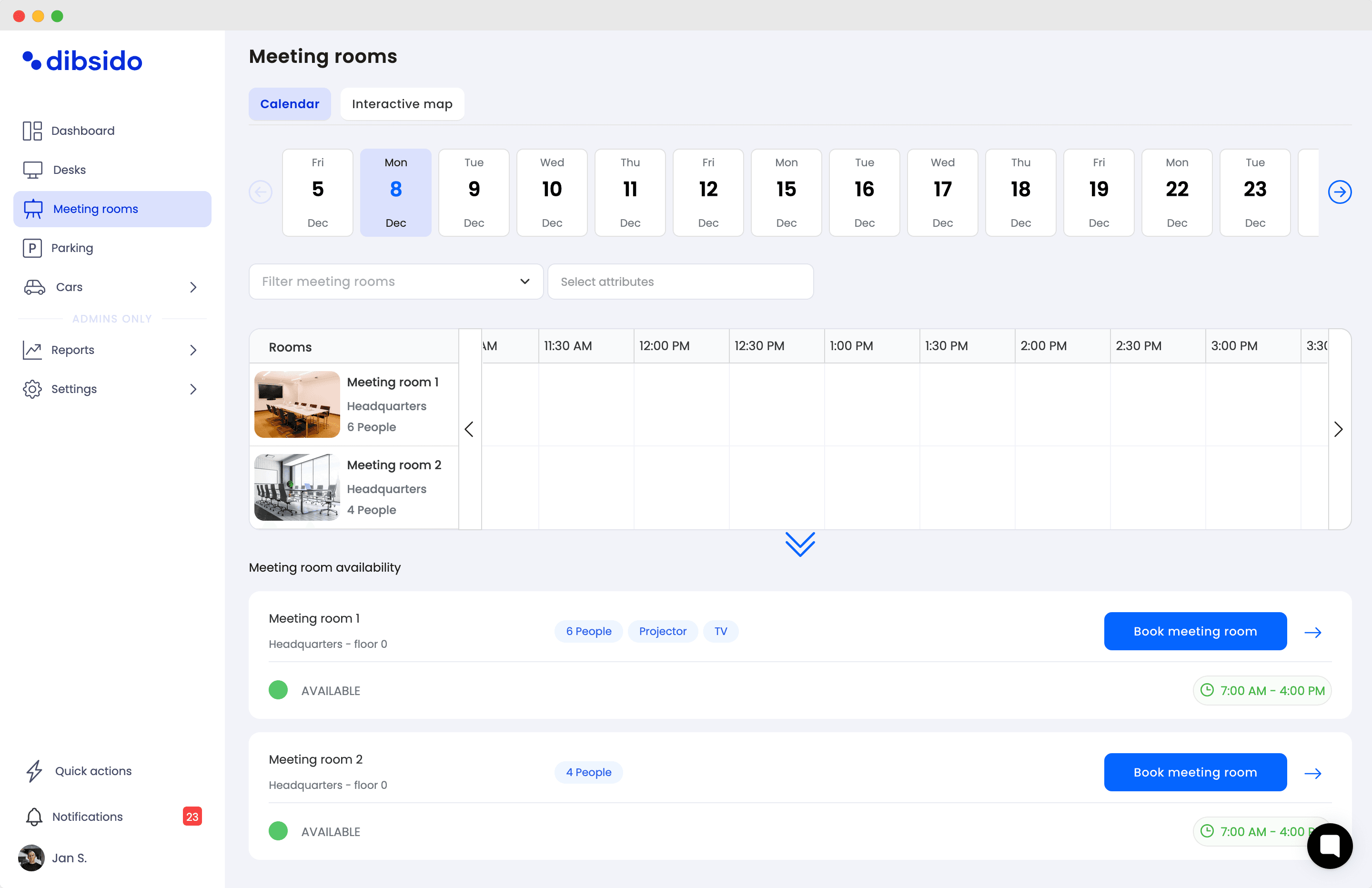
Dibsido is a trusted workplace booking platform for managing meeting rooms, desks, parking spaces, and other shared office resources.
Its free meeting room booking plan supports up to 10 users and includes one meeting room, unlimited desks, and up to five parking spaces.
For meeting room booking, employees can see availability and make reservations through the platform, while features such as interactive floor plans, check-ins, reporting, analytics, and mobile apps are also included in the free plan.
Dibsido Free Plan: Key Features and Limitations
Free plan: Up to 10 users, 1 meeting room, unlimited desks, and 5 parking spaces.
Pros
Free for up to 10 users
Desk and parking booking included
Interactive floor plans
Available via browser or mobile apps (Android, iOS).
Native integrations with MS Teams and Slack
Best for: Hybrid offices with one meeting room that also want to manage desks and parking.
2. Roomzilla
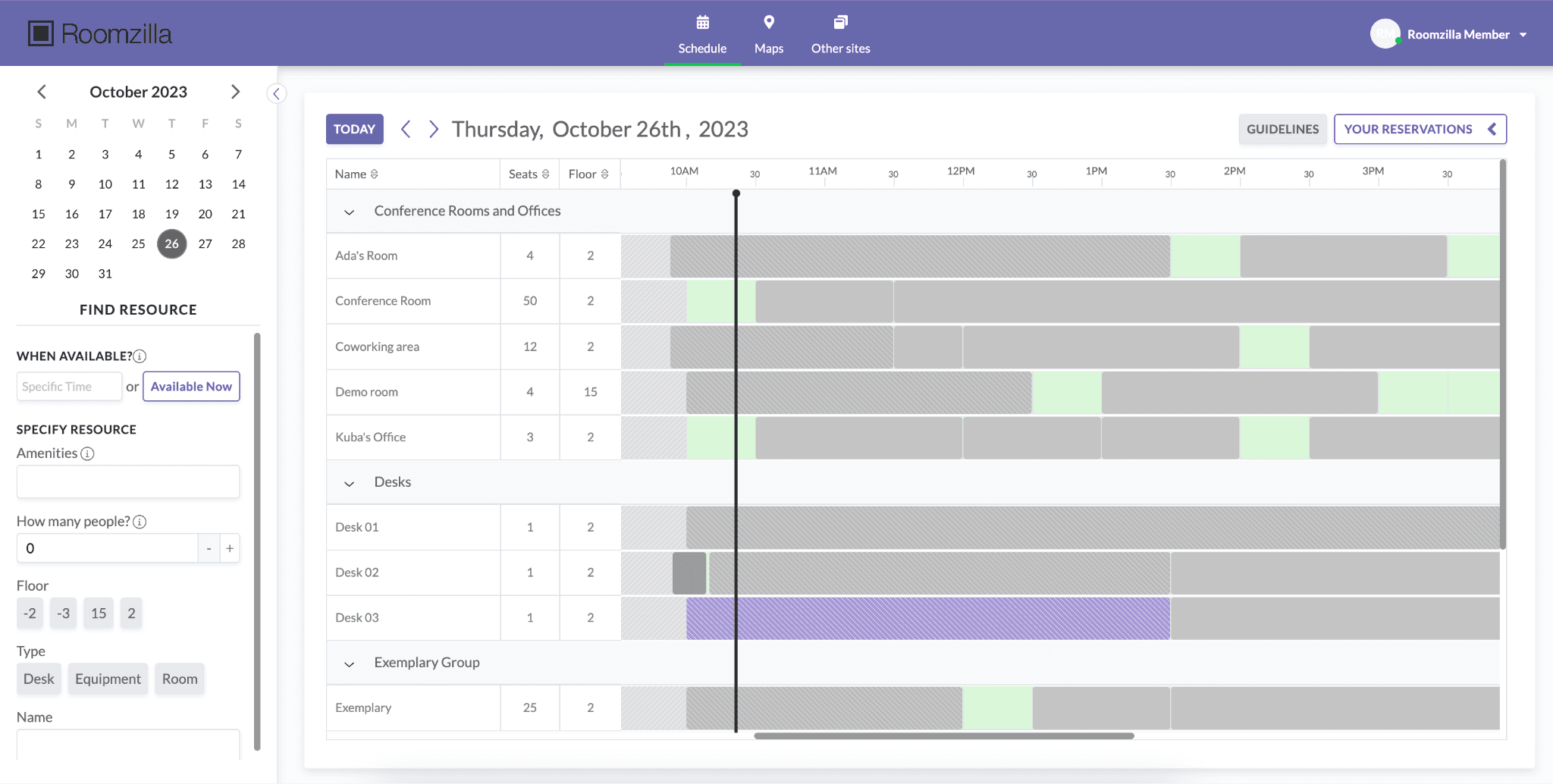
Roomzilla is more focused on shared resources. Rooms, desks, and equipment are all treated as resources, and the free plan allows you to manage up to three of them. That means an office could use the free version for three meeting rooms, or combine rooms with other bookable resources
Roomzilla Free Plan: Key Features and Limitations
Free plan: Up to 3 resources with unlimited users and reservations
Pros
Resources can include meeting rooms, desks, or equipment
Unlimited users
Unlimited reservations
Best for: Small offices that want to manage two or three meeting rooms without paying.
3. HoldSpace
HoldSpace is an iOS app that takes a different approach. Its free plan supports up to five rooms and costs $0 indefinitely, making it one of the more generous options in terms of the number of rooms you can manage.
There is an important catch, though. The free version uses a local calendar and is built around an iPad kiosk setup. That makes HoldSpace potentially very useful if you simply want tablets outside your meeting rooms and do not mind keeping the booking system separate from your company calendar.
HoldSpace Free Plan: Key Features and Limitations
Free plan: Up to 5 meeting rooms using HoldSpace's local calendar.
Pros
Dedicated for room displays
Simple booking interface
Easy to see room availability outside the room
Generous room limit compared with most free plans
Best for: Offices that want dedicated displays outside several meeting rooms and do not need calendar synchronization.
4. Picktime
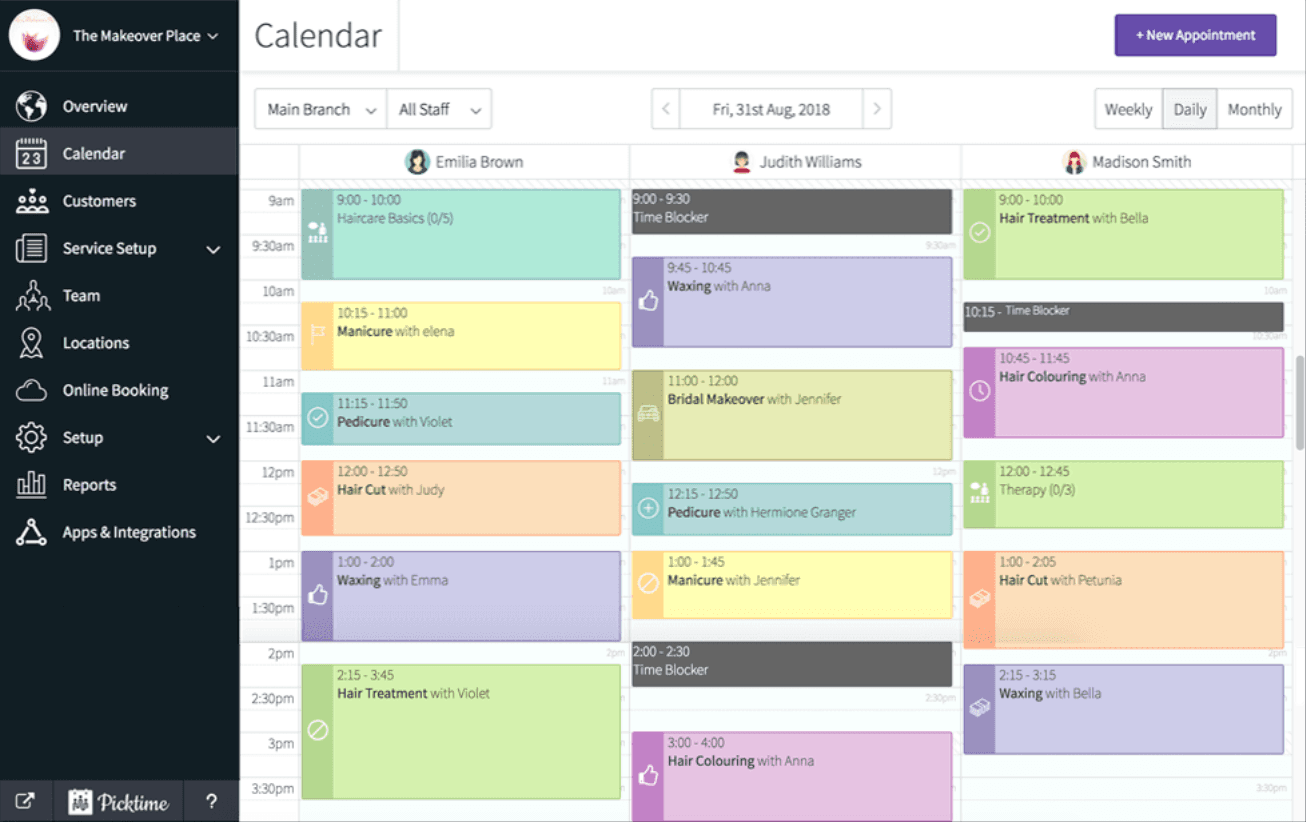
Picktime is not a dedicated meeting room booking platform. It is a broader scheduling system that allows businesses to make people, equipment, and other resources bookable. Meeting rooms can therefore be set up as resources.
The main difference compared with tools such as Dibsido and Roomzilla is the way Picktime approaches the problem. It is built around scheduling and appointments rather than managing a physical workplace. Features you might expect from workplace software, such as office floor plans or dedicated room displays, are not its main focus.
Picktime Free Plan: Key Features and Limitations
Free plan: Up to 3 resources, 3 team members, and 2 locations with unlimited appointments.
Pros
Unlimited appointments
Supports multiple locations
Mobile apps available
Best for: Businesses that need a general booking system and want meeting rooms to be one of several bookable resources.
5. Vizitor
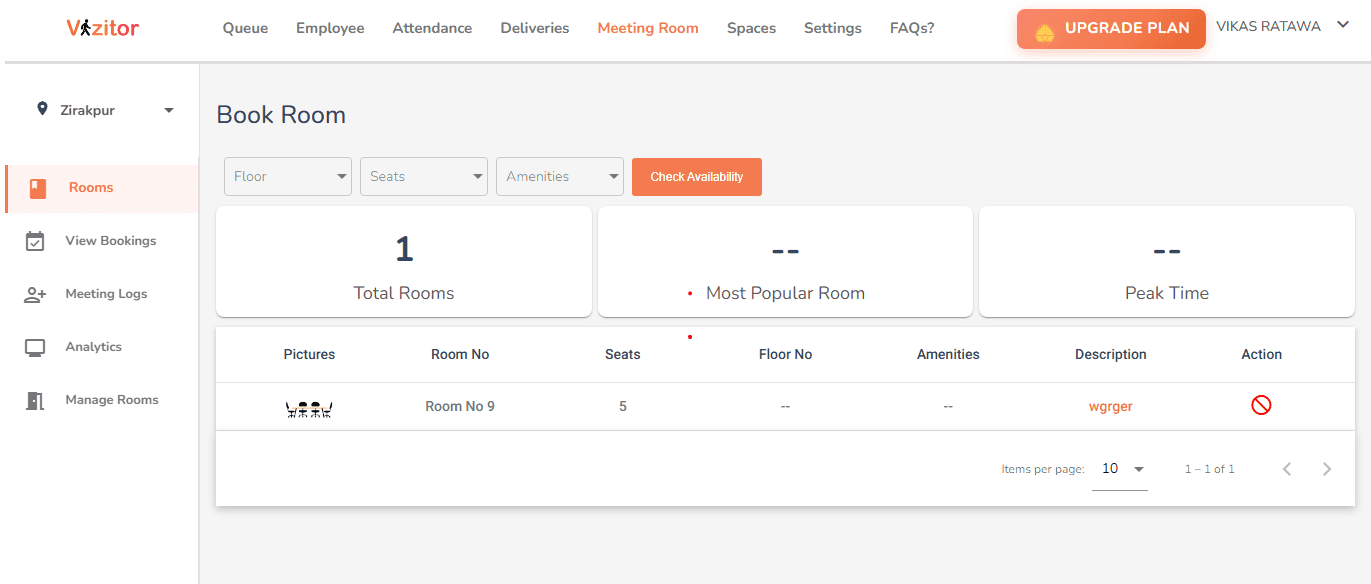
Vizitor is a broader workplace management platform covering areas such as visitors and meeting rooms. The company currently offers a free meeting room booking option, which you can unlock by signing in and sharing a post about Vizitor on LinkedIn.
The free meeting room product includes live room availability, instant reservations and, according to Vizitor, unlimited rooms and multiple locations. One particularly interesting feature is two way synchronization with Google Calendar and Outlook, allowing employees to continue booking rooms from the calendar tools they already use.
One thing to keep in mind is that Vizitor has several workplace management modules and its general free plan has different limitations. It is worth checking the current terms of the specific meeting room product before deploying it across your company.
Vizitor Free Plan: Key Features and Limitations
Free plan: A free meeting room booking option is available for startups, including room reservations and availability management.
Pros
Google Calendar and Outlook integration
Mobile access
Can support multiple locations
Other workplace tools are available within the same platform
Best for: Businesses that want free room booking with Google Calendar or Outlook integration.
6. Koalendar
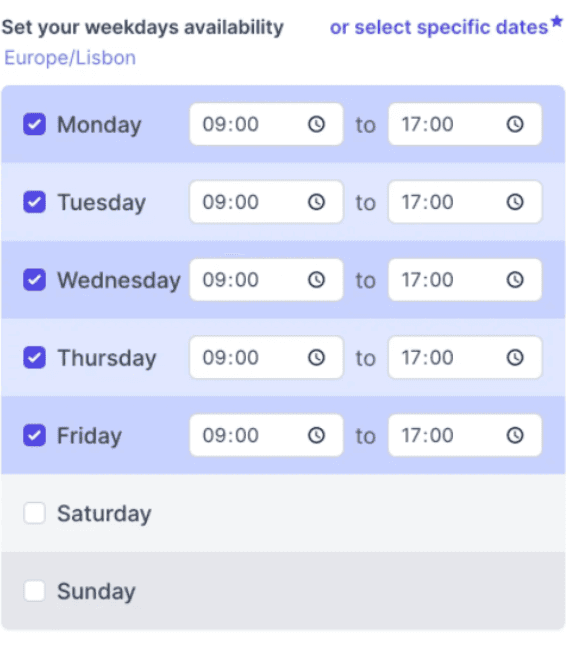
Koalendar is an apointment schedulling tool rather than a dedicated workplace management platform. However, it also offers a free meeting room booking software.
Koalendar treats bookable resources such as meeting rooms as seats. Its own pricing documentation gives the example of an office manager managing three meeting rooms, which requires four seats: one for the manager and one for each room. This means the free version is better suited to simple scheduling than to managing several company meeting rooms.
It can still be useful if your needs are very basic, but compared with Dibsido, Roomzilla, or Vizitor, it requires more adaptation to work as a proper office room booking system.
Koalendar Free Plan: Key Features and Limitations
Free plan: Free Forever plan with unlimited bookings and basic scheduling features.
Pros
Unlimited bookings
Calendar synchronization
Easy scheduling interface
Can be adapted to book physical resources
Best for: Very small teams that need basic room scheduling.
When Is It Worth Paying for Meeting Room Booking Software?
A free meeting room booking system can be more than enough for a small office. As your company grows, however, some of the restrictions can start creating more work than the free subscription saves.
Paying for a meeting room booking system usually makes sense when you need:
More rooms or users. Free plans often limit the number of meeting rooms, resources, or employees you can manage. If you are constantly running into these limits, upgrading is usually easier than moving to another free platform.
Google Workspace or Microsoft 365 integration. Calendar synchronization is frequently reserved for paid plans. It can be worth paying for if employees want to book rooms directly from Google Calendar or Outlook and keep reservations synchronized across both systems.
Multiple offices or locations. Managing a few rooms in one office is relatively simple. Once you have several floors, buildings, or locations, features for organizing rooms and managing them centrally become much more valuable.
Better reporting and analytics. Utilization data can show which rooms are actually being used, when demand is highest, and whether you have too much or too little meeting space. This becomes particularly useful when making decisions about office capacity.
More control over bookings. Larger offices may need rules around who can reserve certain rooms, how far in advance they can be booked, how long reservations can last, or whether specific rooms require approval.
Enterprise security and administration. Features such as single sign-on, automated user provisioning, advanced permissions, and centralized administration are usually found in paid plans and become more important as the number of employees grows.
Broader workplace management. If you also want to manage desks, parking spaces, visitors, or other shared resources, moving to a paid workplace management platform may be more practical than maintaining several separate tools.
There is no particular number of employees or meeting rooms at which you need to start paying. If a free plan covers your everyday needs, there is little reason to upgrade. Once its limitations start creating extra work for employees or administrators, a paid plan becomes much easier to justify.
Conclusion: You Don’t Necessarily Need to Pay for Meeting Room Booking, But…
Free meeting room booking systems such as Dibsido, Roomzilla, Vizitor, and others can cover the essentials and, in some cases, provide features that go well beyond simple room reservations.
The right choice comes down to how your office works. Consider how many rooms and users you need to support, whether employees should be able to book from Google Calendar or Outlook, and whether features such as floor plans, room displays, desk booking, or analytics actually matter to you.
If your company already uses Google Workspace or Microsoft 365, it is also worth trying their built in room booking features before adding another tool. They may be all you need for straightforward reservations.
Free office management software starts to become limiting when your office grows or your booking process becomes more complex. Until then, there is little reason to pay for features you do not need. Start with a tool that fits your office today, but check its paid plans as well so you know what to expect if you eventually outgrow the free tier.
If you want to see how a free meeting room booking system works in practice, try Dibsido. No credit card is required, and you can set everything up yourself in just a few minutes.
FAQ
Is there a free meeting room booking system?
Yes. Several meeting room booking platforms offer free plans for businesses. These plans usually limit the number of rooms, users, or available features, but they can be enough for small offices. The important thing is to distinguish a permanent free tier from a free trial that requires you to start paying after a few weeks.
What is the best free meeting room booking system?
It depends on what you need. Dibsido is a reasonable option for a small office that wants to manage meeting rooms alongside desks and parking spaces. Roomzilla is worth considering if you have several rooms, while HoldSpace supports up to five rooms and is designed around room displays.
Can I use Google Calendar to book meeting rooms?
Yes. Google Workspace allows administrators to create meeting rooms as bookable resources. Employees can then see whether a room is available and add it when creating an event in Google Calendar. For companies with simple booking requirements, this may remove the need for separate meeting room software.
Can I use Outlook to book meeting rooms?
Yes. Microsoft 365 supports room mailboxes that represent physical meeting rooms. Employees can reserve them when creating a meeting in Outlook and use features such as Room Finder and Scheduling Assistant to find an available space.
What is the best free meeting room booking system for a small business?
For a small business, look for a free plan that covers your current number of rooms and employees without adding unnecessary complexity. If you only have one meeting room, Dibsido can be a good fit. If you need several rooms, Roomzilla or HoldSpace may give you more room to work with before you need to upgrade.
Can I manage multiple meeting rooms for free?
Yes. Some free plans support multiple rooms or resources. The exact limit varies between providers, so this is one of the first things to check. Also make sure that the free plan supports enough users for your company, as a generous room limit is not particularly useful if only a handful of employees can use the system.
Do free meeting room booking systems integrate with Microsoft 365 or Google Workspace?
Some do, but calendar integration is often one of the features reserved for paid plans. If your employees primarily work in Outlook or Google Calendar, check whether two way synchronization is included before choosing a product. Otherwise, employees may have to manage bookings separately in two systems.
Can employees book meeting rooms from their phones?
Usually, yes. Many meeting room booking platforms offer a mobile app or a mobile friendly web interface. Some also allow employees to scan a QR code outside a room to make a reservation or check in. The exact options depend on the product and its free plan.
What happens if someone books a room but does not use it?
Basic systems may simply keep the room reserved until the booking ends. More advanced platforms such as Dibsido can require employees to check in and automatically release the room if nobody arrives. This helps prevent "ghost meetings" from making empty rooms appear unavailable.
When should I upgrade from a free meeting room booking system?
There is little reason to pay while the free version does everything you need. An upgrade starts to make sense when you run out of rooms or users, need better calendar integration, want more control over bookings, or need features such as analytics, room displays, check ins, and centralized management across several offices.
Our platform is designed to empower businesses of all sizes to work smarter and achieve their goals with confidence.