Walk the floor on a busy day and count. The booking system says the office is full, yet a third of the supposedly taken desks have no bag, no laptop, no person. Those are desk booking no-shows, also called ghost bookings, and they are more damaging than they look. They block colleagues who actually wanted to come in, and they quietly corrupt the one dataset you use to decide how much office you need. This guide is a practical playbook for fixing them: measure the gap, make cancelling effortless, add a check-in step, release unclaimed desks, and put a fair policy behind it all.

A desk booking no-show (ghost booking) is a reserved desk that nobody uses and nobody cancels. It blocks real demand and distorts your utilization data.
No-shows are a system problem before they are a people problem. Booking is easy everywhere; cancelling is usually invisible. Fix the loop, not the person.
The fix is a five-part playbook: measure the booked-versus-used gap, make cancelling as easy as booking, add a lightweight check-in, auto-release unclaimed desks after a grace period, and publish a short policy people accept as fair.
Check-in plus auto-release recovers desks the same morning. A desk released at 9:30 can still serve someone at 10:00.
Do not start with punishment. Track repeat patterns, talk to the people behind them, and only then decide if consequences are needed. Empty booked desks are also a leading signal that your office data is lying to you.
Walk the floor on a Tuesday and count. Your booking system says the office is at capacity. Someone who wanted to come in was told there was no desk left. And yet a third of the "occupied" desks have no laptop, no bag, no jacket on the chair. Nobody is coming.
Those are desk booking no-shows, better known as ghost bookings, and they are one of the most common failure modes of shared desk offices. They frustrate the people who play by the rules, and they do quieter damage too: every ghost booking is a lie in your occupancy data, and occupancy data is what companies use to decide how much office space to keep paying for.
The good news is that no-shows are one of the most fixable problems in office management. This is a playbook for offices that book desks, in five parts: measure, make cancelling easy, check in, auto-release, and set a policy people accept as fair.
What is a desk booking no-show?
A desk booking no-show is a reservation that the person never uses and never cancels. The desk stays blocked in the system for the whole day while it sits physically empty. In offices that run hot desking or desk sharing, these are usually called ghost bookings: the system shows a full office, the floor shows a half-empty one.
A no-show is not the same as a late cancellation. Cancelling at 8:00 for a 9:00 booking is annoying but honest, because the desk goes back into the pool. A no-show returns nothing. The desk is lost for the day, and so is the trust of the colleague who could not book it.
Why ghost bookings cost more than an empty desk
The visible cost is the blocked desk. The real costs sit underneath it.
They turn people away for nothing. In an office where desks are scarce on peak days, every ghost booking is a colleague who stayed home because the system said "full". That is the worst version of a full office: the crowding of a busy day with the energy of a quiet one.
They corrupt the data you make space decisions with. If bookings are your measure of demand, ghost bookings inflate it. An office that looks 90 percent booked but is 60 percent used sends a false signal in both directions. It can push you toward renting more space you do not need. And when someone finally walks the floor and sees the emptiness, it feeds the opposite conclusion: that the office is not really used at all. Neither decision should be made on fiction. Empty booked desks are how offices end up either oversized or written off.
They erode the booking habit itself. Desk booking only works while people believe the system reflects reality. The first time someone books "the last desk", comes in, and sits next to three empty reserved desks, they learn the system can be ignored. Some stop booking and just squat. Others book defensively, several days at a time, "just in case". Both reactions create more ghost bookings, and the spiral tightens.
Why no-shows happen (it is rarely laziness)
Before fixing anything, it helps to be honest about the cause. Very few people book a desk intending to waste it. The usual mechanics look like this:
Booking is easy, cancelling is invisible. Most tools make reserving a desk a two-tap action, then never prompt again. The booking is remembered when the person needs it and forgotten the moment they do not.
Plans change faster than bookings. A morning meeting moves online, a child gets sick, a train is cancelled. Working from home is the default fallback, and the desk booked three days ago is the last thing on anyone's mind.
Recurring bookings run on autopilot. A standing "every Tuesday and Thursday" reservation keeps firing long after the routine that created it has changed. Recurring bookings are the single biggest ghost-booking generator in most offices.
There is no feedback loop. If nothing happens when a booking expires unused, the behavior never surfaces. People do not know they are repeat no-shows, and neither does anyone else.
Notice what is missing from that list: bad intent. That is why the fix is mostly mechanical. You are not correcting people, you are closing a loop the system left open.
The five-part fix for desk booking no-shows
The parts below are ordered deliberately. Measurement tells you the size of the problem, friction removal and reminders prevent most no-shows, check-in detects the rest, auto-release recovers the desk, and policy makes the whole thing legitimate. Skipping to enforcement without the earlier steps is how booking systems lose the room.
1. Measure the gap between booked and used
You cannot manage what you have not measured, and no-show rates are surprisingly easy to guess wrong in both directions. Start with a baseline: for a week or two, compare desks booked against desks actually used.
With a booking tool that supports check-in, this is automatic: the system records which bookings were confirmed, which were cancelled in time, and which expired unused. Without one, a manual floor walk at mid-morning on two or three peak days gives you a rough number: count desks that are booked but visibly unclaimed.
Two numbers matter: the overall no-show rate, and its concentration. In most offices the distribution is lopsided, with a small group of repeat offenders and recurring bookings accounting for most of the waste. That concentration is good news. It means you are fixing a narrow behavior, not fighting the whole company.
2. Make cancelling as easy as booking
The highest-return fix is also the least dramatic: remove every ounce of friction from cancelling.
Send a reminder before the booking starts, the evening before or the morning of, with a one-tap "I'm not coming" option. Most no-shows are forgetfulness, and a well-timed prompt catches them before the desk is wasted.
Put cancellation where people already are. If your team lives in Microsoft Teams or Slack, cancelling a desk should happen there, not in a separate portal behind a login.
Rein in recurring bookings. Ask people to review standing reservations monthly, or cap how far ahead they extend. A recurring booking should be a convenience, not a permanent land claim.
Done well, this step alone prevents a large share of ghost bookings, because it converts silent no-shows into timely cancellations that put the desk back in the pool.
3. Add a lightweight check-in step
Check-in is the mechanism that connects a booking to an actual arrival. When someone shows up, they confirm the desk with one small action: a tap in the mobile app, a QR code scanned at the desk itself, one click from the morning reminder email, or an automatic check-in the moment their laptop joins the office Wi-Fi. No confirmation within the grace period means the system marks the booking as a no-show.
The key word is lightweight. Check-in that feels like surveillance or airport boarding will be resented and gamed. Check-in that takes two seconds on the way to the coffee machine becomes a habit nobody thinks about. QR codes at the desk work well because they double as proof of presence at that specific spot, which keeps the data honest.
Check-in gives you two things: recovered desks in the moment (see step 4) and reliable arrival data over time, which is what turns your utilization reports from "what people planned" into "what actually happened".
4. Auto-release desks that nobody claims
This is the mechanical heart of a no-show policy. If a booking is not checked in within a grace period after it starts, the desk is released back into the pool, where a colleague can grab it. A desk released at 9:30 is still worth a full working day to someone else. The same desk discovered empty at 16:00 was worth nothing to anyone.
Practical settings that work:
Grace period of 15 to 60 minutes from the booking start. Shorter suits offices with predictable commutes; longer is kinder where trains and school runs make mornings noisy.
Announce it before you switch it on. Auto-release that arrives unannounced reads as a trap. Auto-release that arrives with a short explanation reads as fairness for the people who could not get a desk.
Pair it with the reminder from step 2. The sequence "reminder the evening before, check-in prompt at arrival, release after the grace period" gives everyone two honest exits before the desk is taken back.
One caveat: auto-release fixes availability, not behavior. The desk returns, but the repeat offender books again tomorrow. That is what the last step is for.
5. Publish a short policy, and keep humans in the loop
Rules that live in a tool's settings are invisible. Rules that people accept are written down. A workable no-show policy fits on half a page and covers three things: cancel by a stated cut-off if plans change, check in within the grace period or the desk is released, and repeat no-shows get a conversation.
That last point deserves emphasis. The right response to a repeat pattern is a human one, at least at first. The data will show you who keeps booking and not showing. What it will not show is why. Sometimes the why is a standing booking someone forgot; sometimes it is a manager quietly told the team to reserve desks "for the department". Both get fixed by a conversation, not by an automated penalty. Save hard consequences, such as losing advance-booking privileges, for patterns that survive that conversation, and apply them the same way for everyone.
If you are writing broader booking rules at the same time, our five rules for efficient desk booking pairs well with this playbook.
What about meeting room no-shows?
Everything above has a sibling problem in meeting rooms, where ghost bookings are arguably worse because a room blocks six people, not one. The mechanics are the same, with check-in and release rules adapted to rooms, and calendar hygiene playing a bigger role. We cover that side separately in our meeting room management guide.
How Dibsido handles no-shows
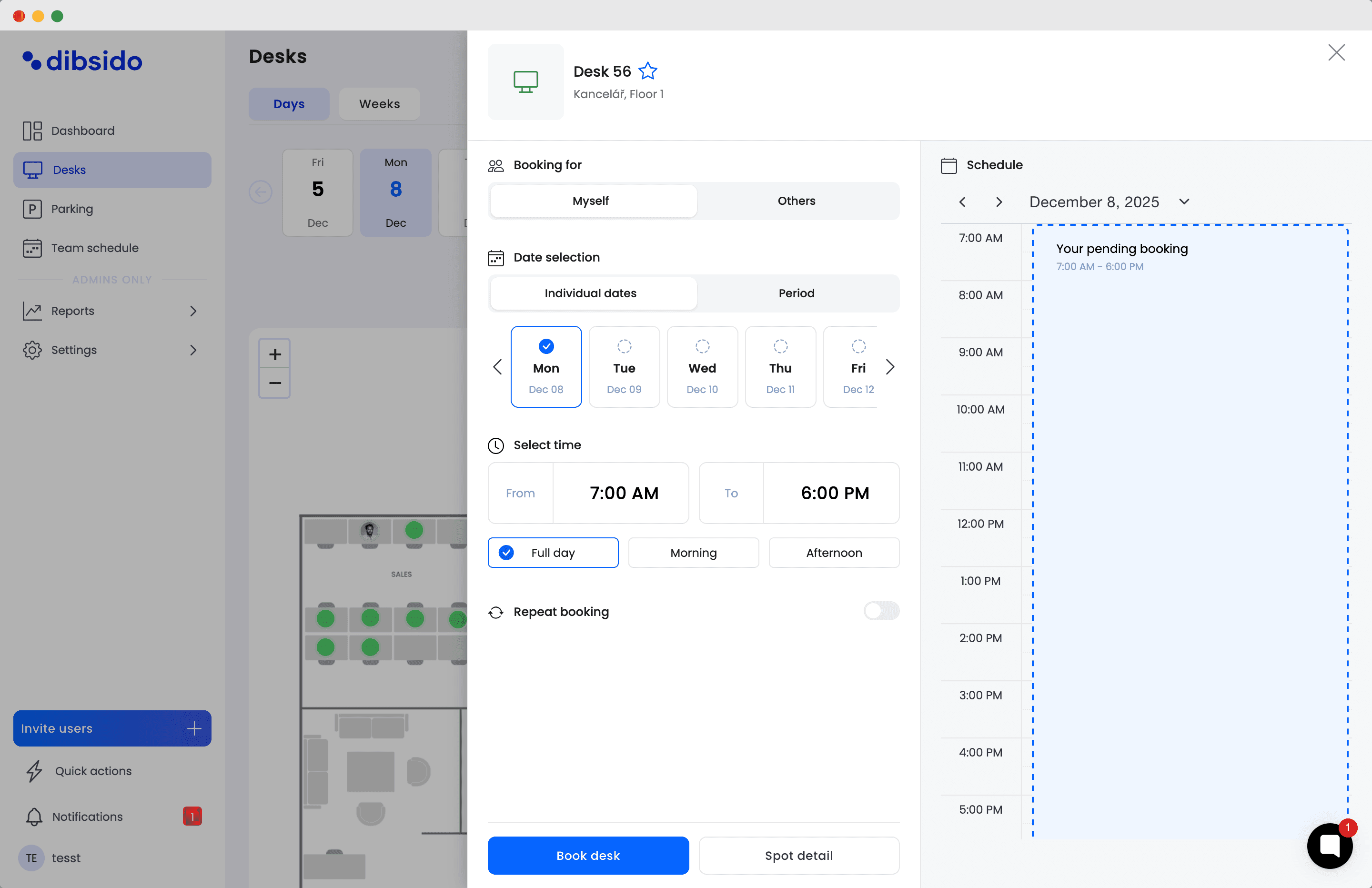
Dibsido's desk booking is built around exactly this loop. Employees book a desk from the app, Microsoft Teams, or Slack, and confirm arrival the way that suits your office: a tap in the app, a QR code at the desk, directly from Slack, one click from the reminder email, or automatically as soon as they connect to the office Wi-Fi. Offices with badge gates can go one step further and drive check-in from the existing access system through the API, so swiping in at the door claims the desk too. Desks that nobody claims are released back into the pool, every check-in records how it happened, and every no-show is logged, so you see utilization as it actually was: your no-show rate, the repeat patterns, and how the numbers move once the playbook takes effect. What to do about a repeat offender stays a human decision, which is where it belongs.
Setup takes minutes rather than an IT project, and the free plan means you can measure your real no-show rate before spending anything. If ghost bookings are eating your desks, try it free and put the playbook to work. If you are still choosing an approach to shared desks in general, start with our hot desk booking overview.
FAQ: desk booking no-shows
What is a desk booking no-show?
A reserved desk that the person never uses and never cancels. In shared desk offices these are also called ghost bookings, because the desk looks occupied in the system while sitting physically empty. No-shows block colleagues who wanted the desk and inflate occupancy data.
How do you reduce desk booking no-shows?
Five things, in order: measure the gap between booked and used desks, make cancelling as easy as booking with a reminder before each visit, add a lightweight check-in on arrival, auto-release desks that are not claimed within a grace period, and publish a short policy so the rules are known. The combination prevents most no-shows and recovers the rest the same morning.
What is a good hot desk no-show policy?
Half a page: cancel by a stated cut-off if plans change, check in within the grace period or the desk is released, repeat no-shows get a conversation before any consequence. Publish it where people book, and apply it consistently.
How does desk booking check-in work?
On arrival, the person confirms the booking with one small action: a tap in the app, scanning a QR code at the desk, one click from the reminder email, or an automatic check-in when they join the office network. No confirmation within the grace period marks the booking as a no-show, and with auto-release enabled the desk goes back into the pool.
Should unclaimed desk bookings be released automatically?
Usually yes. Auto-release is the most effective mechanical fix for ghost bookings because it recovers the desk while it still has value, typically 15 to 60 minutes after the booking starts. Announce it in advance and pair it with reminders so nobody is caught off guard.
Should employees be penalized for desk no-shows?
Not as a first step. Most no-shows are forgetfulness plus friction, so fix the system first. Use the tracking data to find repeat patterns, talk to the people behind them, and reserve consequences for patterns that survive the conversation.
Our platform is designed to empower businesses of all sizes to work smarter and achieve their goals with confidence.