Most offices that feel short on meeting rooms are not actually short on rooms. They are short on visibility. The calendar shows every room booked solid, and yet people walk past empty rooms all afternoon looking for somewhere to take a call. The gap between booked and used is where meeting room management either works or quietly falls apart. This guide covers why rooms feel scarce when they are not, the three behaviors that cause it, and a practical playbook to fix it without buying more space.
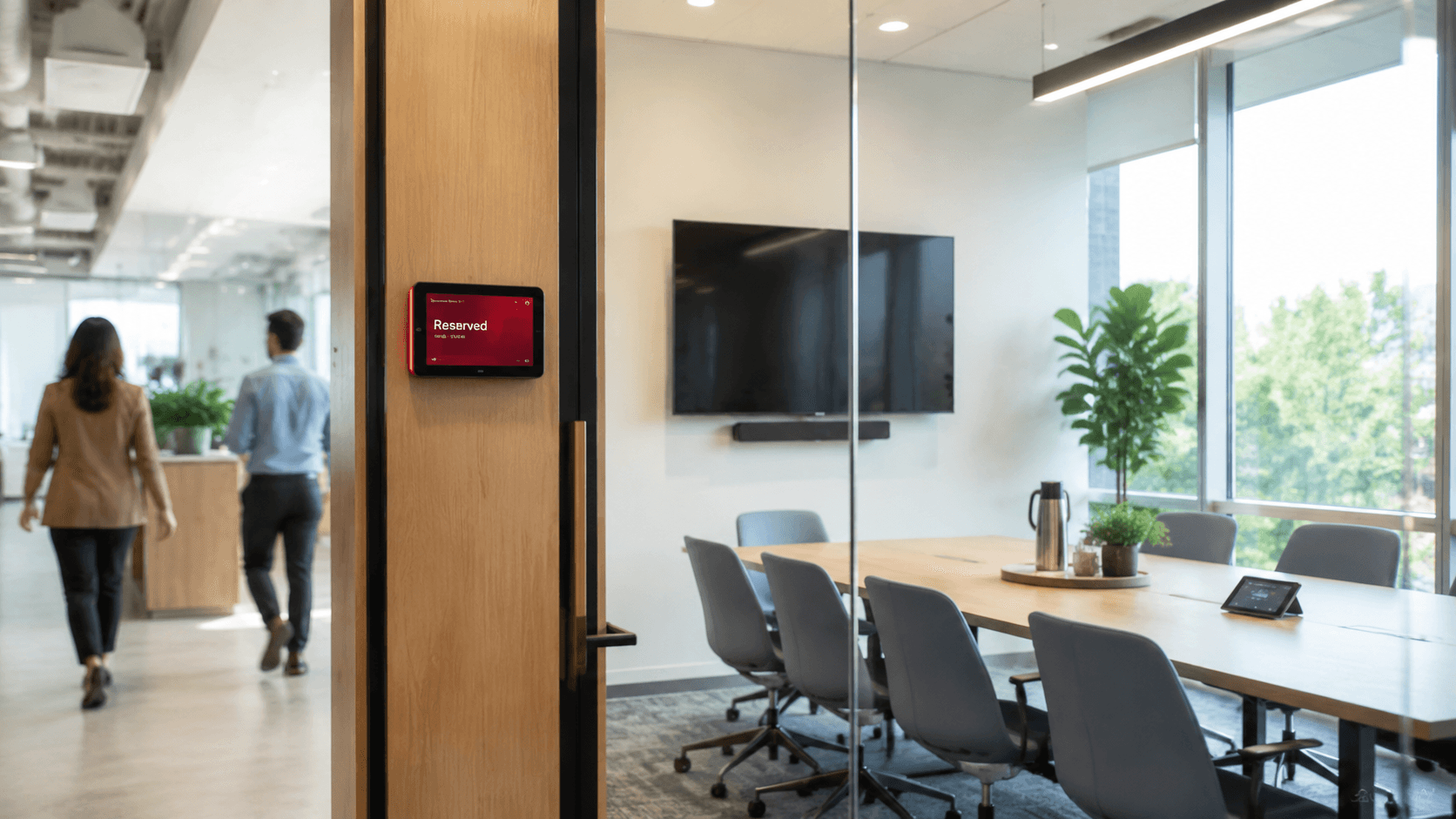
Most meeting room shortages are visibility problems, not capacity problems. Rooms show as booked while sitting empty, so people stop trusting the calendar and start blocking rooms defensively.
Three behaviors cause most of it: ghost meetings (recurring bookings that outlived the project), blocking rooms "just in case," and no-shows that never get released back to the pool.
Fix the behavior before buying space. A clear booking policy, visible no-show data, a recurring-meeting audit, and real utilization numbers solve more than a new room does.
Keep policy and tooling separate. Software can surface no-shows, show real-time availability, and report utilization. The consequence for repeat offenders is a decision your team makes, not something the tool does on its own.
Bookings should live where people already work. Calendar sync with Outlook, Microsoft 365, Teams, and Google means people book without learning a new tool, which is the single biggest driver of whether a system gets used.
Most offices that feel short on meeting rooms are not short on rooms. The calendar shows every room booked solid from nine to five. Walk the floor and you pass empty rooms all afternoon, while two people circle the building looking for somewhere to take a call. That gap, between what the calendar says and what is actually happening, is the entire problem.
When the calendar stops matching reality, people stop trusting it. They start blocking rooms defensively, booking more than they need so they are not caught short. That makes the calendar look even fuller, which makes the next person block even more. The shortage is real to everyone experiencing it, but the cause is rarely a lack of rooms. It is a lack of visibility into how the rooms you have are actually being used.
This guide covers why meeting rooms feel scarce when they are not, the three behaviors behind it, and a practical playbook to fix it before you spend money on space you may not need.
Why meeting rooms feel scarce when they are not
Studies of office space repeatedly find that a meaningful share of meeting rooms sit empty during booked slots, often cited in the 30 to 50 percent range, while a handful of rooms are impossible to get. That pattern points at behavior, not square footage. Three behaviors cause most of it.
Ghost meetings
A ghost meeting is a recurring calendar event that keeps reserving a room week after week, long after the project ended or the team stopped meeting in person. Nobody owns canceling it, so it lingers. One standing Monday sync that fizzled out three months ago is still holding the best room on the floor every Monday morning. Multiply that by a dozen abandoned recurring events and a large chunk of your prime availability is gone before anyone books a real meeting.
Blocking rooms "just in case"
When people cannot trust that a room will be free when they need it, they hedge. They book a room for the whole afternoon to protect a 30-minute conversation, or reserve two rooms for a workshop and only use one. Each individual decision is rational. Collectively they drain the pool and train everyone else to hedge harder, which is how a 12-room office starts behaving like a 6-room one.
Double-booking and no-shows
Double-bookings happen when booking is fragmented: some people use the calendar, some use a sheet on the door, some just walk in and sit down. Two teams show up for the same room and one loses. No-shows are the quieter version. Someone books, plans change, and the booking is never released. The room reads as taken all afternoon and is used for none of it.
The real diagnosis: visibility, not square footage
The instinct when rooms feel scarce is to find more space: convert a corner, knock through a wall, sign a bigger lease. Sometimes that is genuinely needed. Far more often, the office already has enough rooms and cannot see that, because the booking data is either missing or scattered across tools that do not talk to each other.
You cannot fix what you cannot measure. Before adding a single room, the question to answer is simple: of the time our rooms show as booked, how much is actually used? When offices measure that for the first time, the answer is usually uncomfortable, and it almost always reframes the problem from "we need more rooms" to "we need our existing rooms back."
How to fix meeting room management
The fix is mostly behavioral, supported by tooling. Here is the order that works.
1. Write a booking policy people can actually follow
Keep it short enough to fit on one screen. Book the room you need for the time you need it. Cancel the moment plans change. Do not book a room as a placeholder. Set a norm for recurring bookings, such as a maximum series length before it has to be renewed. A policy nobody can remember is not a policy, so favor three clear rules over fifteen edge cases.
2. Make no-shows visible
Most people are not deliberately hogging rooms. They forget. A reminder shortly before the booking, with a one-tap option to release the room, makes canceling easier than ignoring it, and easy is what changes behavior at scale. Behind that, track who booked versus who actually showed up, so repeat patterns are visible to whoever owns the space. The data is the point here. Once no-shows are visible, they tend to shrink without anyone having to be the room police.
3. Audit recurring meetings to kill ghost meetings
Once a quarter, pull every recurring room booking and ask each owner one question: is this still needed in this room? The ones that go quiet are your ghost meetings. Clear them. To stop them coming back, set recurring bookings to expire after a set period unless renewed, so a series has to earn its place on the calendar rather than holding it by default.
4. Surface utilization data
Track two numbers per room: how often it is booked, and how often booked time is actually used. The gap between them is your ghost-meeting and no-show rate. Broken down by room and size, this data tells you what to do next: right-size the mix, convert an underused large room into two small ones for calls and one-on-ones, or confirm that you genuinely do need more space before spending on it.
5. Put booking where people already work
The single biggest driver of whether a booking system gets used is whether people have to leave their normal workflow to use it. If booking a room means opening a separate app, a meaningful share of people will skip it and walk in instead, which is where double-bookings come from. When room booking syncs with the calendar people already live in, Outlook, Microsoft 365, Teams, or Google, a booking made anywhere is visible everywhere, and adoption stops being a fight. If you are still drawing up a shortlist, our comparison of six meeting room booking tools puts the pricing models side by side.
What software does, and what your team enforces
It is worth being precise about the line between the two, because blurring it is how offices end up disappointed.
Software is good at visibility and friction. It can show real-time availability, sync bookings across the calendars people use, send reminders with one-tap release, track who showed up, and report utilization by room. Those are the levers that change behavior at scale, because they make the right action the easy action.
What software does not do is decide consequences. It can show you that the same person has no-showed four times this month. It cannot, and should not, decide what happens next. Whether that is a quiet word, a temporary limit, or nothing at all is a judgment your team makes based on context. Tools that promise to automatically punish people tend to create more problems than they solve, because the edge cases are human ones. Use the software to surface the truth and lower friction. Keep the enforcement decision with people.
Where Dibsido fits
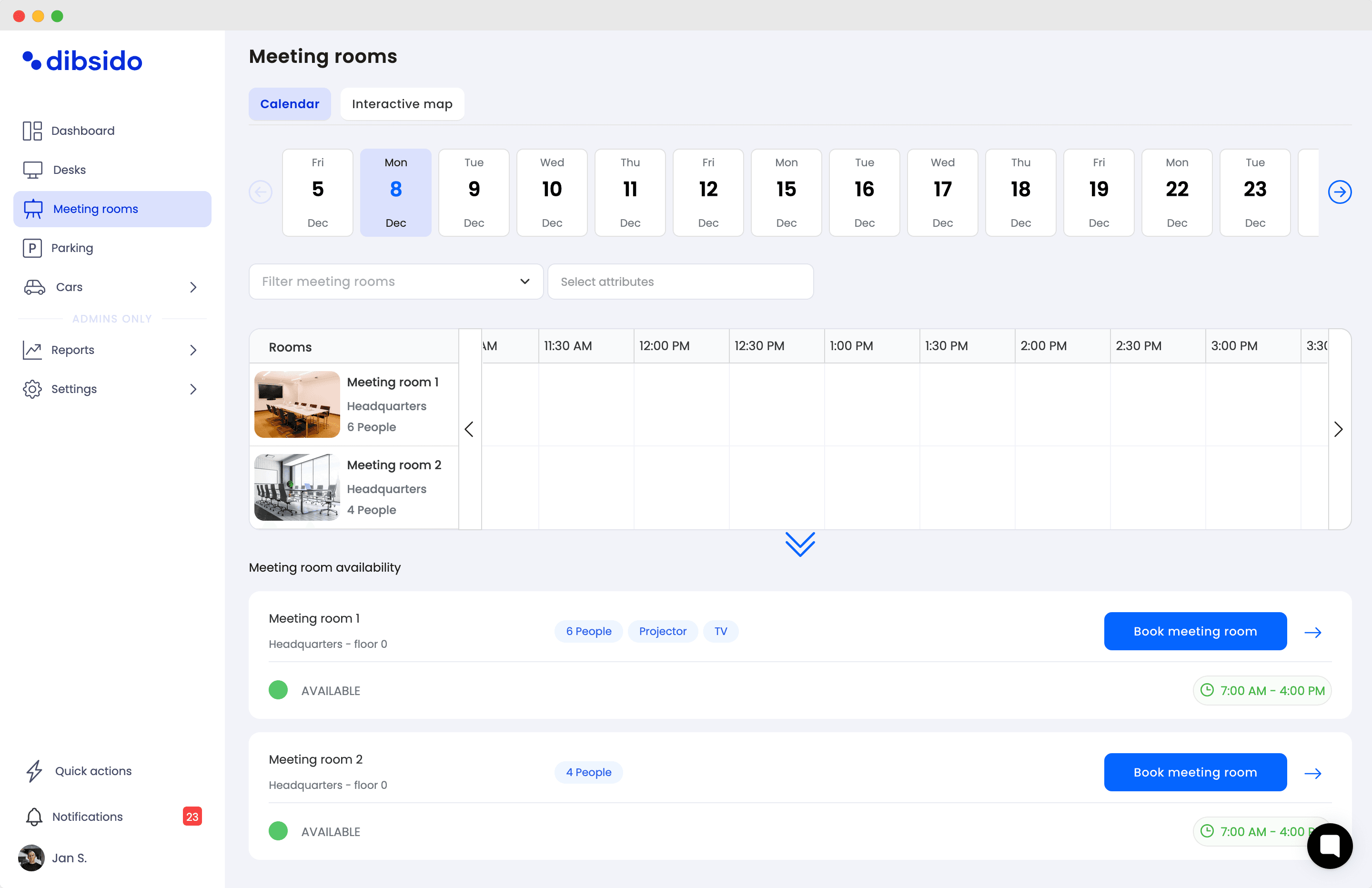
Dibsido handles the visibility side of meeting room management. Rooms are booked from the same place as desks and parking, with calendar sync across Outlook, Microsoft 365, Teams, and Google, so a booking is consistent wherever someone looks. No-show tracking shows admins who booked versus who actually arrived, and room reporting surfaces how your space is really used, so right-sizing decisions are based on data rather than the loudest complaint. Consequences for repeat no-shows stay where they belong, with your team and your policy.
It is built for small to mid-sized hybrid offices rather than enterprise facilities teams, so setup is measured in minutes and the free plan includes a meeting room, which is enough to test the approach before committing. If you need enterprise-grade workplace analytics or a dedicated visitor-management system, larger platforms will fit better, and that is a fair trade to weigh.
You can try it free, explore Dibsido's meeting room booking, book a demo to see room booking with your own calendar setup, or see pricing if you want the numbers first.
Frequently asked questions
How do I stop people hogging meeting rooms?
Start with a written booking policy that sets a clear expectation: book the room you need for the time you need it, and cancel the moment plans change. Make canceling easier than leaving a booking to sit by sending a reminder with a one-tap release option. Then make no-shows visible so repeat patterns are obvious. The combination of a low-friction cancel and visible accountability does more than reminders alone, because the goal is to make releasing a room the path of least resistance.
Why are our meeting rooms always booked but empty?
This is the most common meeting room problem, and it is almost always a behavior issue rather than a capacity issue. Three causes account for most of it: ghost meetings (recurring calendar events that keep booking a room long after the project ended), people blocking rooms just in case they need them, and no-shows where someone books but never arrives and never cancels. All three make rooms show as reserved on the calendar while the rooms themselves sit empty.
How do I reduce meeting room no-shows?
Send a reminder shortly before the booking that lets the person confirm or release the room in one tap, so canceling takes less effort than ignoring it. Track who books versus who actually shows up so repeat no-shows are visible to admins. Then apply your office policy consistently. A booking tool can surface the no-show data and reduce the friction of canceling, but the consequence for repeat offenders is a decision your team makes, not something the software enforces automatically.
What is a ghost meeting and how do I prevent them?
A ghost meeting is a recurring calendar event that keeps reserving a meeting room week after week even though the meeting no longer happens or no longer needs that room. They quietly consume a large share of room availability because nobody owns canceling them. Prevent them with a periodic audit of all recurring room bookings, asking each owner to confirm the series is still needed. Setting an expiry on recurring bookings, so they lapse unless renewed, stops them from accumulating again.
How many meeting rooms does a hybrid office need?
There is no fixed ratio, because need depends on how your team works rather than headcount alone. The reliable way to size rooms is to measure actual utilization over a quarter before adding space. Look at how often rooms are booked, how often booked rooms are actually used, and which sizes are in demand. Many offices discover they have enough rooms but the wrong mix, with too many large rooms and not enough small ones for calls and one-on-ones.
How do I handle double-booked conference rooms?
Double-bookings usually come from fragmented booking, where some people use a calendar, others use a wall sign-up, and others just walk in. The fix is a single source of truth for every room, synced to the calendars people already use so a booking made anywhere is visible everywhere. Real-time availability that updates the instant a room is reserved removes the window where two people book the same slot without seeing each other's reservation.
Does meeting room booking software integrate with Outlook and Microsoft 365?
The better tools sync directly with Outlook, Microsoft 365, Teams, and Google Calendar, so a room booked in one place shows as reserved everywhere. This matters more than any other feature, because adoption depends on people booking from the calendar they already live in rather than learning a separate app. Dibsido offers room booking with calendar sync across Outlook, Microsoft 365, Teams, and Google so bookings stay consistent across the tools your team already uses.
How do I measure meeting room utilization?
Track two numbers per room: how often it is booked, and how often booked time is actually used. The gap between them is your no-show and ghost-meeting rate, and it is usually the real problem. Booking software with utilization reporting gives you this directly, broken down by room and size. With that data you can right-size your rooms, convert an underused large room into two small ones, or confirm whether you genuinely need more space before spending on it.

Julie Slovackova
Customer Success Specialist
Our platform is designed to empower businesses of all sizes to work smarter and achieve their goals with confidence.