Most desk booking tools claim to integrate with Microsoft Teams. In practice, there is a meaningful gap between tools that genuinely live inside Teams and tools that simply sync data to Outlook calendars and call it integration. For hybrid offices that already run on Teams, that gap quietly determines whether desk booking gets adopted or ignored after the first month.

Native Teams app vs. just calendar sync is the real differentiator. Tools that live inside Teams keep adoption; tools that require switching to a separate app tend to lose it.
Dibsido: native Teams app in the Microsoft Teams Marketplace, free up to 10 users, paid from €1.70/user or €2.60/desk per month annual, SSO included on every paid plan, 12 languages.
Kadence: Microsoft Teams app with built-in AI assistant; pricing is quote-based.
Officely: works inside Microsoft Teams and Slack; the product was originally built for Slack.
Native Microsoft Bookable Desks: included with Microsoft Teams Premium.
Tactic: Microsoft Teams app available; pricing is per-resource.
1For teams that live in Microsoft Teams, the best desk booking app is one that lets people reserve a seat from inside Teams without opening a separate tool, so booking becomes part of the normal workday. The picks below are compared on exactly that: how natively each one books inside Teams, what it costs, and how fast it sets up.
Why Microsoft Teams integration matters more than the marketing copy suggests
Walk into a 50-person hybrid office on a Monday morning and the question is the same in every team channel: who is in today, where are they sitting, can I grab the meeting room for the 2pm call. The team is already in Microsoft Teams. They are not going to open a separate web app to find out.
That is why the gap between "we integrate with Microsoft Teams" and "the booking flow runs natively inside Microsoft Teams" matters. Standalone desk booking apps that require employees to switch to a separate browser tab or download a second mobile app tend to lose adoption a few weeks in. Apps that show up inside the Teams sidebar where the team already lives tend to keep it.
This guide compares five desk booking apps that have a Microsoft Teams presence as of May 2026. The comparison focuses on what is publicly verifiable: each vendor's Microsoft Teams Marketplace listing, their published pricing page, their own product documentation, and customer reviews on G2 and Capterra.
To make the point concrete, here is how an operations lead at a hybrid office described their reality to us in a recent buyer conversation:
"All our users are already in Teams - it's easier for them to stay there than go to the web."
That sentence captures why the Microsoft Teams integration question is rarely about the integration itself - it is about whether your team has to leave the app where their day already happens.
Pricing, features, and integration details shown reflect publicly available information as of May 2026. Vendors regularly update their products and pricing - verify current details on each vendor's website before making a buying decision.
Quick comparison
App | Native Teams app | Free tier | Public starting price | Pricing model |
|---|---|---|---|---|
Dibsido | Yes - in Microsoft Teams Marketplace | Yes (up to 10 users) | €1.70/user or €2.60/desk per month (annual) | Per-user OR per-desk, public |
Kadence | Yes - includes Kadence AI assistant in Teams | No | Not published | Quote-based |
Officely | Yes - Microsoft Teams and Slack | Up to 10 users | $2.50/user/month | Per-user, public |
Native Microsoft Bookable Desks | Built into Microsoft Teams Premium | Included with Teams Premium | Included with Teams Premium subscription | Bundled |
Tactic | Yes - Microsoft Teams app | No | $6/desk/month | Per-resource, public |
How we evaluated each app
Five criteria, each verifiable from public sources:
Microsoft Teams Marketplace presence - is there a published Teams app listing for the product
Public pricing transparency - is the starting price listed on the vendor's pricing page or only available via sales contact
Free tier or trial - is there a usable free tier or only a time-limited trial
Pricing model - per-user, per-resource, or bundled with another product
Stated fit per the vendor's own positioning - who the product is built for according to the vendor's own marketing
We deliberately do not compare subjective dimensions like "ease of use" or "implementation time" - those are highly dependent on the buyer's specific environment and not something we can fairly verify across all five products.
The 5 apps in detail
1. Dibsido
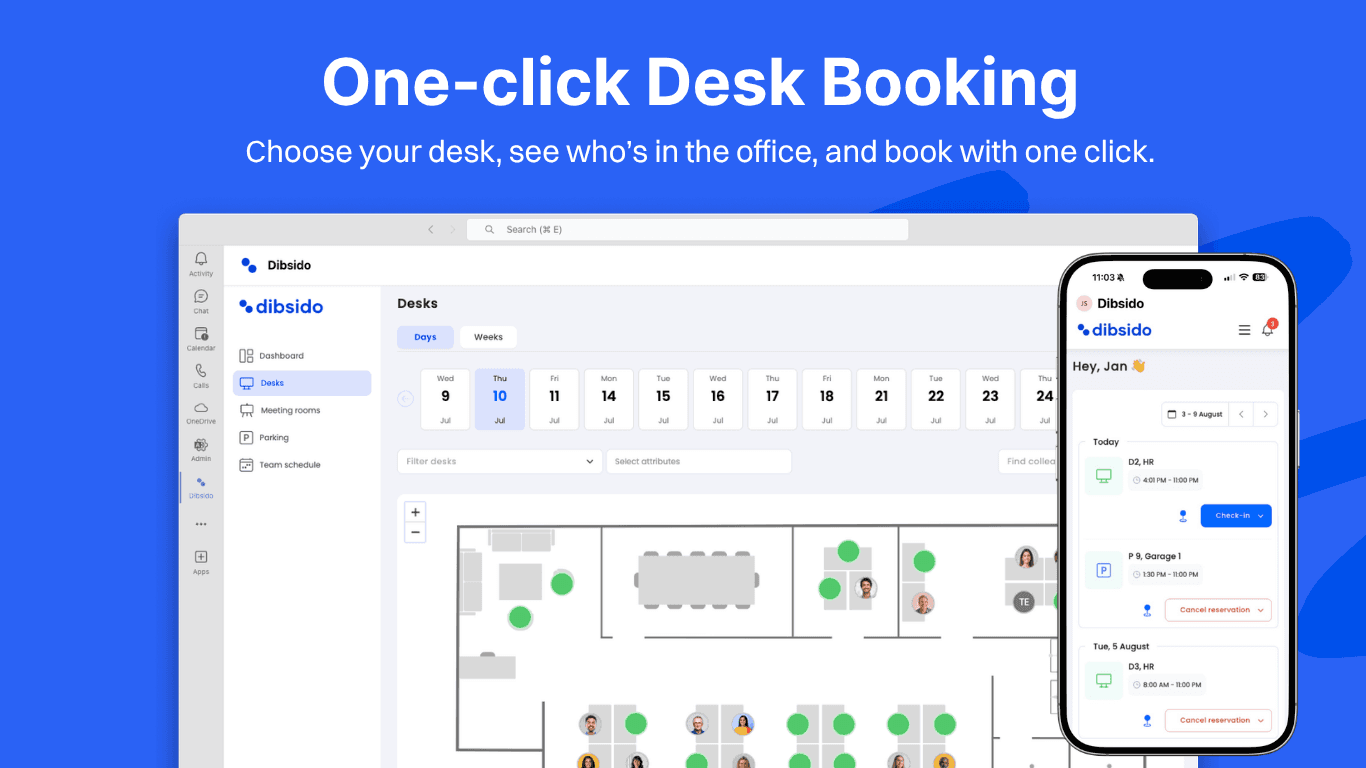
Dibsido is one of the newer entrants in workplace booking, founded in 2021 in Czech Republic, and now serving hybrid teams globally with customers including Toyota, Samsung, and Société Générale. The product was built around a single thesis: hybrid teams already have too many tools, so booking should live inside the apps they already use every day.
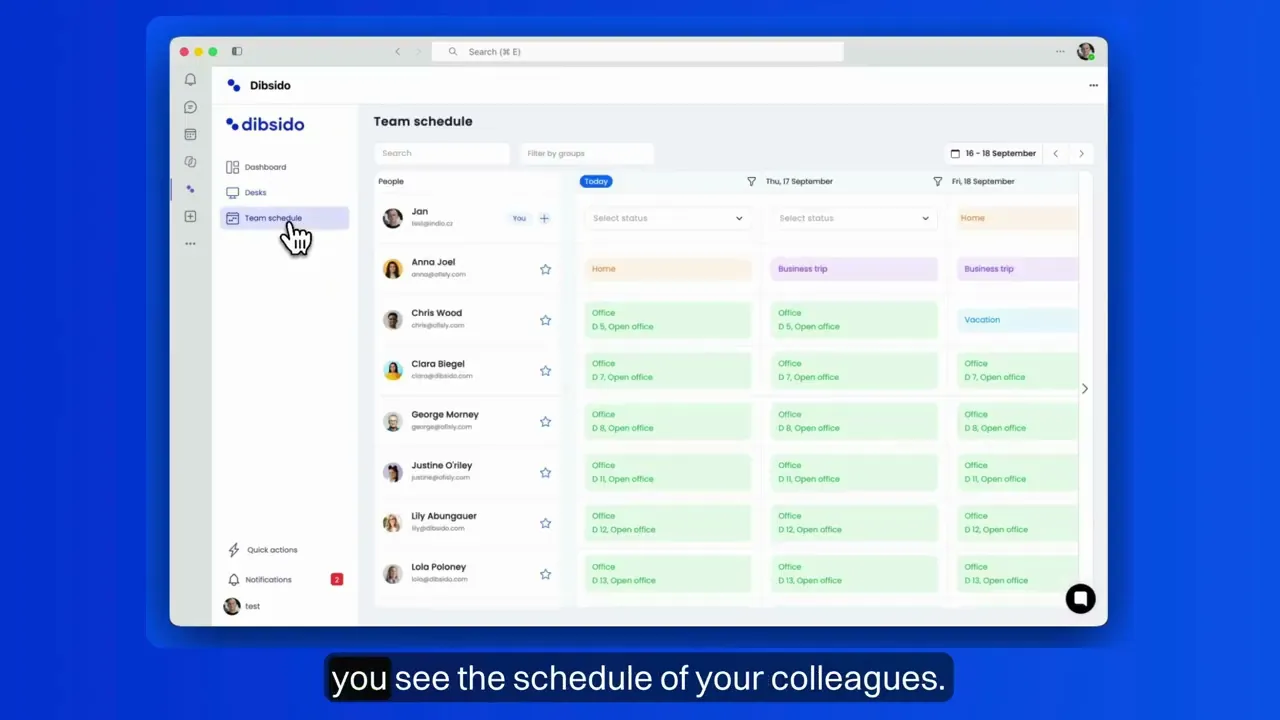
Once added to a Microsoft Teams workspace, the Dibsido app brings the full booking workflow into the Teams sidebar - employees see who is in today, book desks, reserve parking, and check out meeting rooms without leaving Teams. Beyond desks, the same product covers parking spots, meeting rooms, company cars, and carpools from one interface, which is unusual in this category. SSO, SAML, and Microsoft Entra ID provisioning ship in every paid plan rather than being gated behind an Enterprise tier - a notable difference from competitors who tend to paywall identity features.
Dibsido in a nutshell:
Best fit: small to mid-sized hybrid offices that want desks, parking, and meeting rooms in one product
Free version: Yes, up to 10 users, including the Microsoft Teams app, interactive floor plans, mobile access, and SSO
Pricing: From €1.70/user/month or €2.60/desk/month on annual billing. All-in-One plan (desks, parking, rooms, cars, carpools) at €2.50/user/month annual
Languages: 12
Currencies: EUR, GBP, USD, CZK
Limitations: Built for small to mid-sized hybrid offices. Organizations at 5,000+ employees that need enterprise-grade visitor management with kiosk hardware, or custom BI dashboards exporting to a data warehouse may outgrow what Dibsido covers and need a heavier workplace platform.
2. Kadence
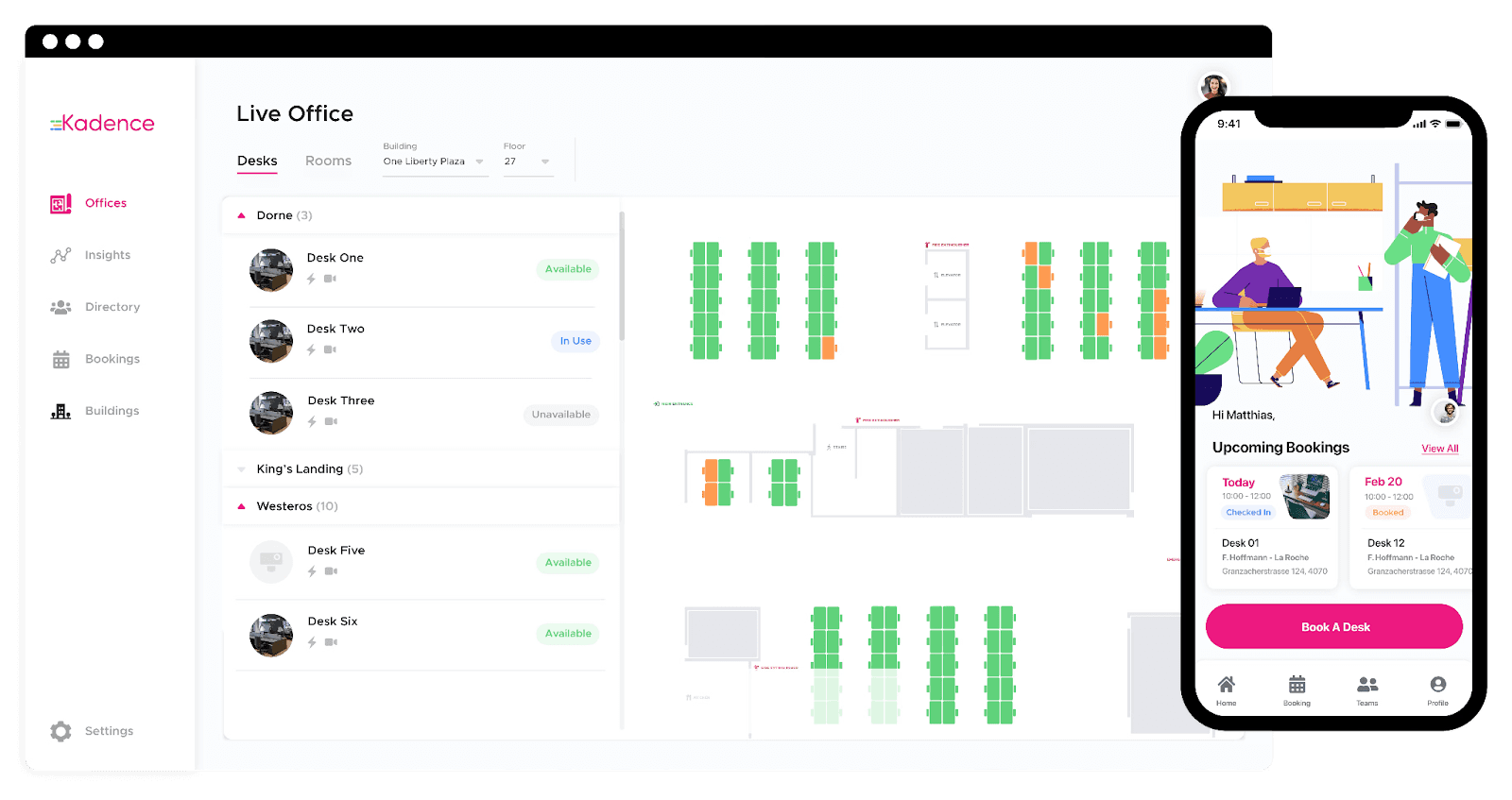
Kadence is a UK-founded workplace operations platform serving hybrid teams. It positions itself as a broader workplace layer covering desk booking, room booking, visitor management, and analytics rather than a focused booking tool. The company has invested heavily in AI features - its Microsoft Teams app includes "Kadence AI," a natural language assistant that lets employees ask questions about office occupancy and book desks conversationally inside Teams.
The platform suits organizations that want one workplace operations product rather than separate point tools, and that are comfortable with a quote-based buying process. The AI assistant inside Teams is a differentiator most competitors don't offer.
Kadence in a nutshell:
Best fit: organizations evaluating a full workplace operations platform with AI features
Free version: No
Pricing: Quote-based - no public starting price; contact Kadence sales
Notable feature: "Kadence AI" natural language assistant inside Microsoft Teams
Limitations: Smaller organizations have noted in 2025-2026 G2 reviews that the platform's breadth can be more extensive than their day-to-day needs. The quote-based pricing process is also a fit-issue for teams that prefer to evaluate via a public price and free tier first.
3. Officely
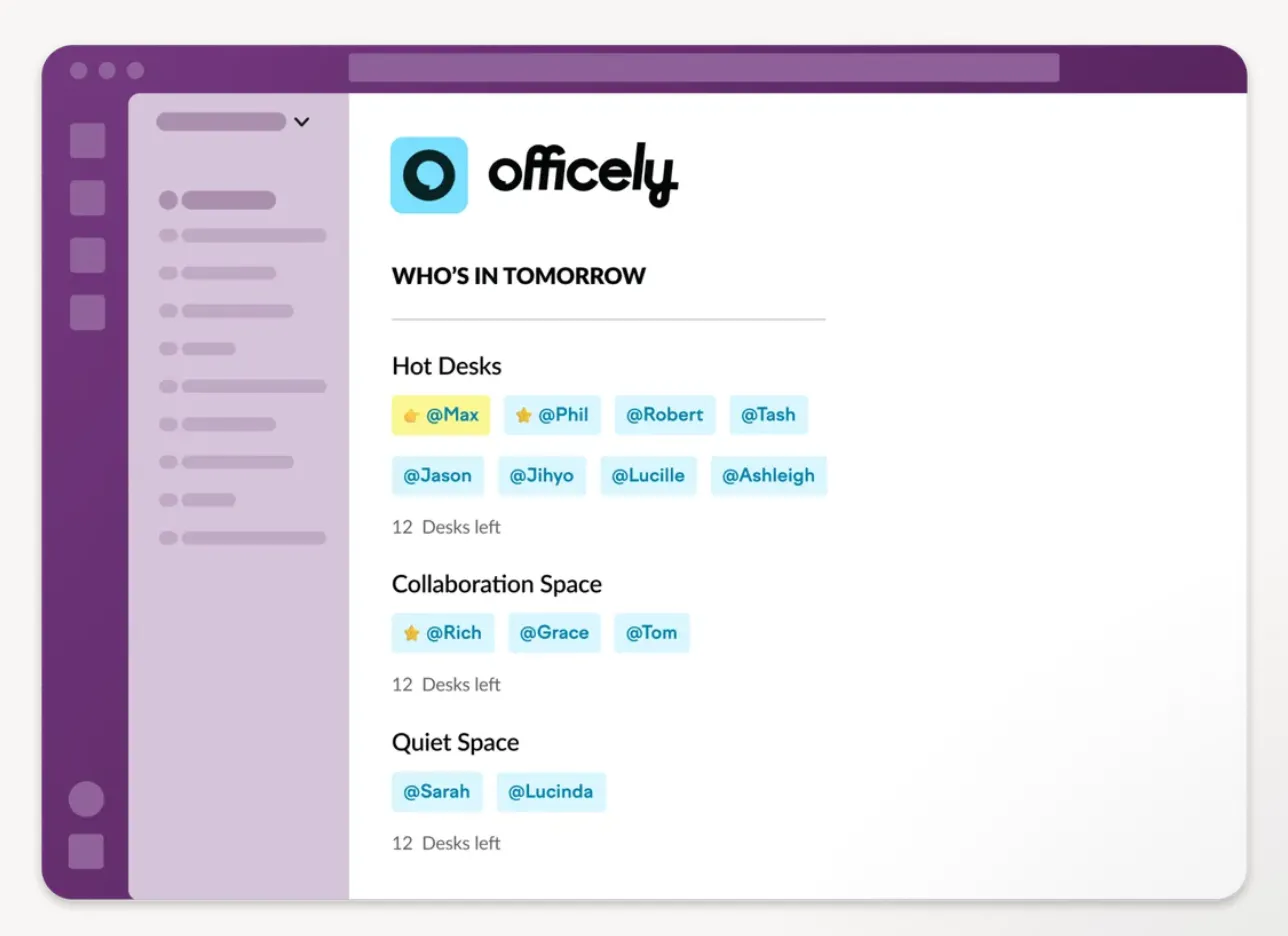
Officely is a UK-based hybrid work platform that was originally built for Slack, and Slack remains a primary integration target per its homepage. The Microsoft Teams app is also published, broadening reach to teams that run on Teams or both. Officely's product philosophy is "stay where your team already chats," which works particularly well for organizations whose daily collaboration sits inside chat channels rather than email or a separate web app.
Officely in a nutshell:
Best fit: hybrid teams where Slack is the primary daily collaboration tool and Microsoft Teams is secondary
Free version: Yes, up to 10 users
Pricing: From $2.50/user/month
Limitations: In 2025-2026 G2 reviews, organizations fully on Microsoft 365 have noted that Outlook calendar and Microsoft Entra ID workflows can be less mature than the Slack-native experience. Worth verifying integration depth on Officely's documentation if Microsoft 365 is the primary deployment path.
4. Native Microsoft Bookable Desks
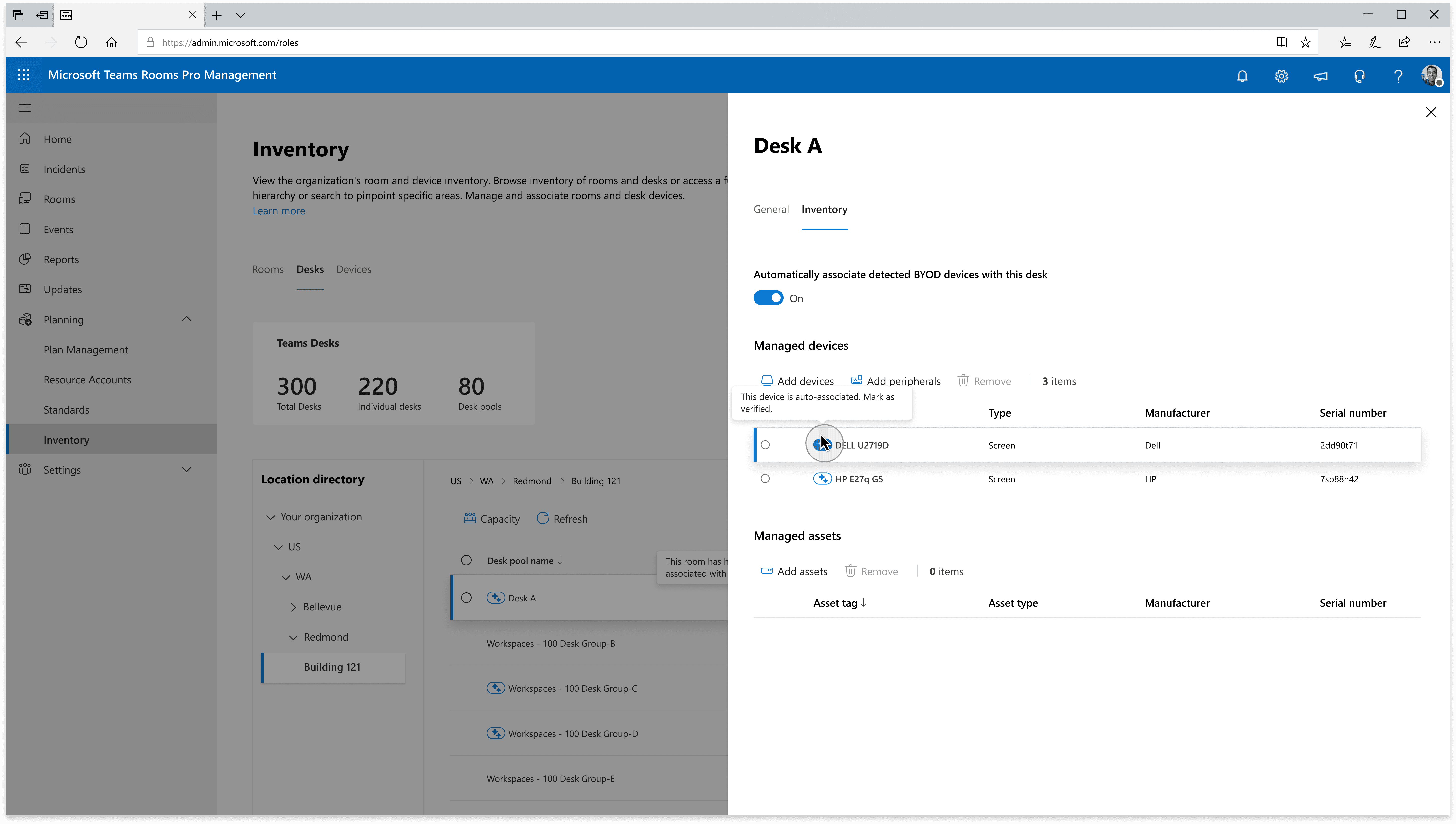
Microsoft has built a Bookable Desks feature directly into Microsoft Teams Premium, included with the Teams Premium subscription rather than sold as a third-party add-on. The feature covers desk booking, floor plan view, and check-in inside Teams, with admin configuration handled by the Microsoft 365 administrator. For organizations already paying for Teams Premium, this is the lowest-friction option - no new vendor contract, no new SSO setup, no separate billing.
Bookable Desks in a nutshell:
Best fit: organizations already paying for Microsoft Teams Premium that want basic desk booking without adding a separate vendor
Free version: Included with Teams Premium subscription (no marginal cost if you already have it)
Pricing: Bundled inside Teams Premium - see Microsoft's published Teams Premium pricing
Limitations: The feature scope is focused on desk booking and check-in. It does not cover parking management, room booking analytics, visitor management, or self-service floor plan editing - if any of those are also needed, a third-party tool is typically added alongside.
5. Tactic
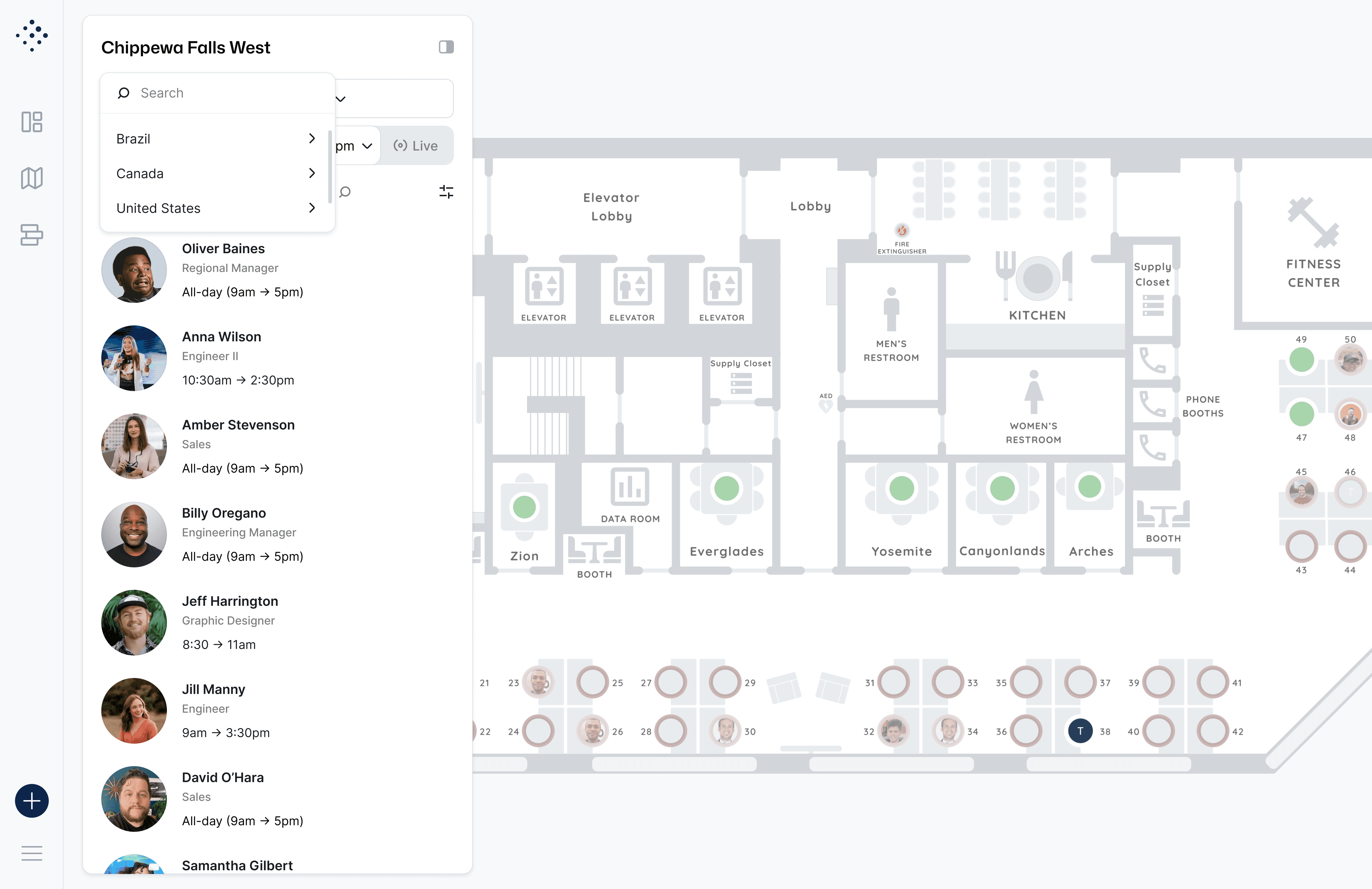
Tactic is a US-based hybrid work platform offering desk and meeting room booking with a Microsoft Teams app alongside its core web product. Its pricing model is per-resource (per desk or per room) rather than per-user, which can be more predictable for offices where the resource count stays stable while the user base fluctuates - and more expensive when desks-per-user ratios climb.
Tactic in a nutshell:
Best fit: offices with stable monthly resource counts that prefer per-resource over per-user pricing
Free version: No - evaluation is via a paid trial
Pricing: From $6/room/month
Limitations: No free tier means committing to a paid trial just to evaluate. Per-resource pricing can become less efficient than per-user models as the desk-to-user ratio increases.
Which one should you pick
Three honest filters based on publicly available information:
If you want a Microsoft Teams app, public pricing, and a free tier you can use without a credit card: Dibsido fits this profile. Free up to 10 users, paid from €1.70/user/month annual, SSO included from the entry tier.
If you are evaluating a full workplace operations platform and are open to a quote-based buying process: Kadence is positioned for this scenario, with its AI assistant inside Teams as a notable differentiator.
If your organization already pays for Microsoft Teams Premium: Microsoft's native Bookable Desks feature is included at no marginal cost. Confirm the feature scope matches your needs against Microsoft's documentation before adding a third-party tool.
The other two (Officely, Tactic) fit specific edge cases - Slack-primary teams for Officely, per-resource pricing preference for Tactic. For a default Microsoft Teams hybrid office, Dibsido and Kadence are the most direct comparison.
Try Dibsido in your Microsoft Teams workspace
Dibsido is published in the Microsoft Teams Marketplace. The Teams app, Microsoft 365 SSO, Outlook calendar sync, and Microsoft Entra ID provisioning are all included in every paid plan.
Free for up to 10 users, no credit card required. Try it free or book a 15-minute demo to see how it fits your hybrid office.
Frequently asked questions
Is there a free Microsoft Teams desk booking app?
Yes. Dibsido offers a permanent free tier for up to 10 users that includes the Microsoft Teams app, desk booking, interactive floor plans, mobile access, and SSO. Microsoft's own native Bookable Desks feature is also included with Microsoft Teams Premium subscriptions.
Does Microsoft have a built-in desk booking system in Teams?
Yes. Microsoft Teams Premium includes a Bookable Desks feature that lets employees book desks via Teams. The feature scope is focused on desk booking and check-in.
Can my team book parking and meeting rooms in Microsoft Teams too, or just desks?
Dibsido handles desks, parking spots, meeting rooms, company cars, and shared resources from inside Microsoft Teams. Native Microsoft Bookable Desks is desk-focused. For other vendors, verify scope on each vendor's product documentation.
How much does desk booking software for Microsoft Teams cost?
Dibsido starts at €1.70 per user per month or €2.60 per desk per month on annual billing (whichever is more efficient for the office). Officely starts at $2.50 per user per month after the 10-user free tier. Tactic is $6 per room per month. Kadence pricing is quote-based and not publicly listed. Microsoft Teams Premium (which includes native Bookable Desks) has its own subscription price published by Microsoft.
Why does the article not include setup time as a comparison?
Setup time depends heavily on the buying organization's existing IT setup, the size of the deployment, and whether SSO and provisioning are configured up-front. We chose to compare only dimensions that are verifiable from public vendor information rather than estimating subjective implementation timelines that vary per buyer.
Can you book a desk directly in Microsoft Teams?
Yes. Apps with native Teams booking let employees reserve a desk, room, or parking spot from a tab or message inside Teams, without installing a second app. Dibsido books natively inside Teams and Slack.
Do you need an IT project to add desk booking to Teams?
No. Self-serve tools install from the Teams app store and set up in minutes, so an office admin can launch booking without a deployment project. Dibsido is designed for setup in about 5 minutes.
Our platform is designed to empower businesses of all sizes to work smarter and achieve their goals with confidence.