If you type “free desk booking software” into your browser, you’ll likely end up with a list of free trials. In reality, there aren’t that many vendors that provide their product for free or even as a freemium version. So we did our homework, dug deeper into what the desk booking market actually offers at no cost, and created a list of truly free desk booking software solutions for offices you can start using right away.
We’ve reviewed and compared six desk booking solutions that offer real value without time limits, helping you understand what you can expect from free plans, where they fall short, and which tools are worth trying in 2026.
Free desk booking software tools are designed for smaller teams, typically 5–25 users. Some vendors offer a surprisingly generous set of features in their free tiers (e.g., Dibsido, Officely), with core desk booking functionality complemented by analytics, SSO, mobile apps, and more. Others use free plans mainly as an entry point to explore and evaluate their platforms, often with varying degrees of limitations. The good news is that these tools make it easy to get started, validate your needs, and understand how a particular solution fits into your workplace strategy.
Please note that this guide to the best free desk booking software was last updated in October 2026. Free plan details come from each vendor's own pricing page, checked on October 6, 2026, and ratings from Capterra. If you notice any inconsistencies, please let us know.
What Are the Common Limitations of Free Desk Booking Software?
When we investigated available free desk booking tools on the market, a clear pattern emerged: most of them are designed for smaller teams with basic workplace needs, and their limitations reflect that.
That’s not necessarily a drawback, though. Overall, these tools still deliver significant value, offering an easy and low-risk way to introduce desk booking, improve office coordination, and test hybrid work setups without upfront investment.
The most common constraint is a user cap, often limited to 5–25 users, along with support for only a single office location. Free plans typically include essentials, such as desk booking and simple floor plans, while more advanced features like calendar synchronization, or more robust policy controls are reserved for paid tiers.
On the positive side, you only need a web browser and an internet connection to use them, and many free desk booking tools go beyond basic functionality. They offer useful features such as SSO, mobile apps, and integrations, allowing you to manage desk booking directly in office tools like Slack or Microsoft Teams.
While free desk booking tools work well for small teams testing desk booking or managing a simple office setup, growing organizations often outgrow them quickly and need to upgrade to a paid solution. If this sounds like you, check out our comparison of the best desk booking software solutions.
Top Free Desk Booking Software Tools for 2026
Here’s our curated list of truly free desk booking solutions, including Dibsido, Deskfound, Desk.ly, Flexwhere, Google Sheets, and Officely. These aren’t just trials or limited demos, each tool offers a solid set of features for desk booking (and broader office resource management) that you can use completely free, with no time limit.
In this overview, we focus on what each tool does well, what’s included in the free plan, how they differ from one another, and where their limitations lie.
Vendor | Capterra user rating | Free plan limitations |
Dibsido | 4.7 | 10 users |
Deskfound | 4.9 | 10 users |
Desk.ly | 4.6 | 15 users |
Flexwhere | Not enough data | 25 users |
Google Sheets | 4.7 | Not applicable |
Officely | 4.8 | 5 users |
Tab. 1: Basic comparison of free desk booking software solutions (Free plan limits checked on vendor pricing pages on October 6, 2026; Capterra ratings as of October 2026)
Does Microsoft or Google Have a Free Desk Booking System?
Partly. If your company already pays for Microsoft 365 or Google Workspace, some booking is built in.
Microsoft 365 (Microsoft Places): users on Microsoft 365 Business or Enterprise plans, or on Teams Essentials or Enterprise, can book meeting rooms and workspaces, also called desk pools, from Outlook and Teams at no extra cost. Booking a specific individual desk is different. Since April 1, 2026, Microsoft requires a paid Teams Shared Space license for each bookable desk, and the same goes for automatic release of unused desks and occupancy reports (Microsoft Learn, checked October 2026).
Google Workspace: admins can create calendar resources, such as rooms, that people book by adding them to a Google Calendar event. It is part of Workspace and works for a handful of shared resources.
If you mainly need to see who is in the office and book a few rooms, the tools you already pay for may be enough. If you want people to pick a specific desk on a floor plan, free up desks nobody used, and see real occupancy, a dedicated desk booking tool, free or paid, is usually the simpler route.
1. Dibsido
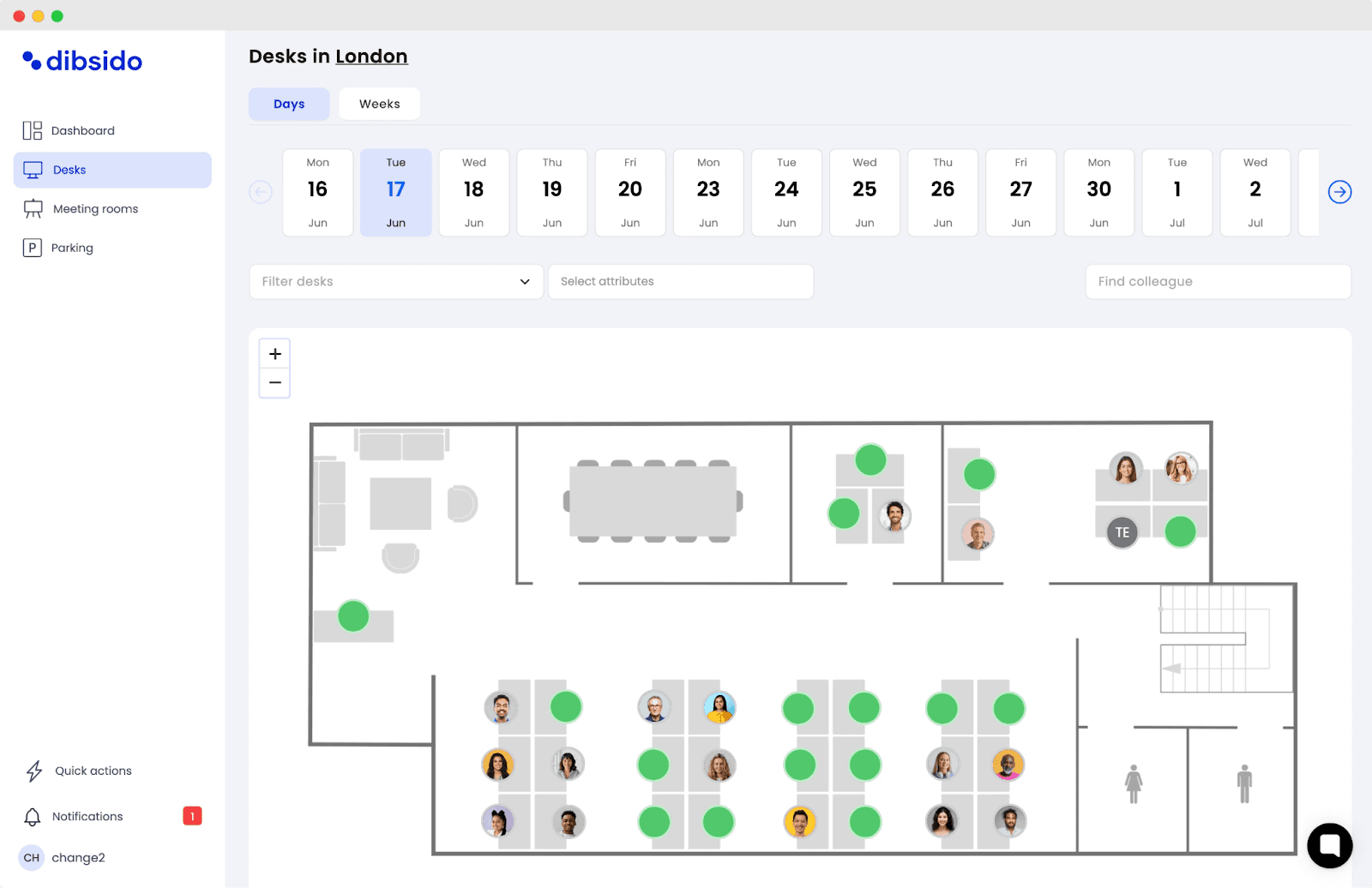
Dibsido stands out in the desk booking software market with its “no complexity” approach. From self-onboarding and quick setup to a straightforward UI, one-click bookings via visual floor plans, and virtually zero maintenance, all the way to workspace analytics, Dibsido is a strong choice for companies looking to manage desk sharing effectively.
Its free plan is feature-rich and fully functional, with features that many competitors reserve for paid tiers. In addition to the core desk booking capabilities (desks, meeting rooms, parking spots), it includes interactive floor maps, space utilization analytics, flexible booking options, sign-in with Google or Microsoft, booking rules, and integrations with Slack and Microsoft Teams, among others.
For teams that value practicality, ease of use, and quick deployment over complexity, Dibsido is a strong option to consider.
What you get with Dibsido’s free plan:
Intuitive booking of office resources (desks, meeting rooms, parking spots)
A wide range of features for both users and admins (visual floor plans, booking rules, check-ins, waiting lists, reminders, Google and Microsoft sign-in, etc.)
Office space utilization analytics
Mobile apps
Native integrations with Slack and Microsoft Teams
Dibsido free plan limitations:
10-user cap
5 parking spots
1 meeting room
Desk bookings up to 1 week ahead
Meeting room calendar sync with Google and Outlook only on paid plans (desk bookings send a calendar invite)
2. Deskfound
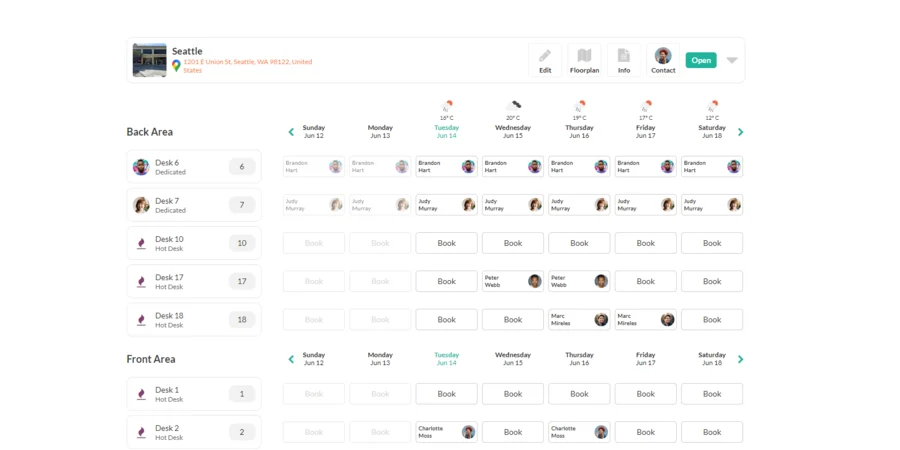
Deskfound is a cloud-based desk booking application designed for hybrid workplaces. It is primarily built to operate within Slack and Google Workspace, while also providing a web interface for administrators to manage office locations, weekly schedules, bookings, reporting, and overall workspace settings.
Because of this focus, people book in Slack or in the web app. Its website does not mention native mobile apps (checked October 2026). Some teams like not having to switch between applications, others will miss a dedicated app.
Deskfound offers a fully functional free plan for up to 10 users, with no time limit. What’s notable is that the free tier includes all core features of the platform, not just a limited subset. These include:
What you get with Deskfound’s free plan:
Desk booking (hot desks and assigned desks)
Meeting room reservations
Visual floor plans
Multiple office locations support
Deskfound free plan limitations:
10-user cap
3. Desk.ly
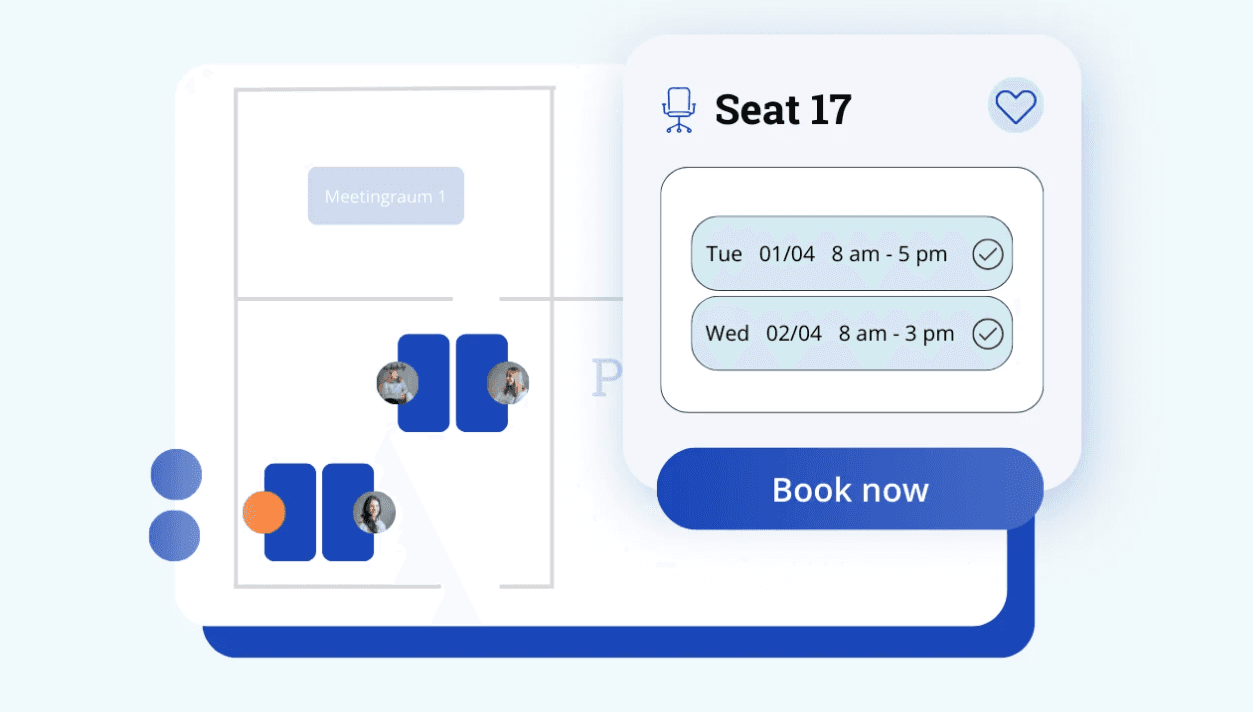
Desk.ly is a Germany-based provider of workplace management software with a global presence. Its platform offers features such as desk booking, meeting room reservations, and office analytics. According to user reviews, it works best for teams looking for a solution that is easy to roll out and reliable in daily use, without the overhead of a complex enterprise system.
Desk.ly made it onto our list in part thanks to its fairly well-equipped freemium plan.
What sets it apart is that, unlike many competitors, it provides access to its Enterprise plan for free for up to 15 users. According to the vendor, this free tier includes the full set of Enterprise features with no time limitations, making it a compelling option for small teams looking to test a more advanced solution without upfront cost.
What you get with Desk.ly’s free plan:
Full access to the desk.ly Enterprise package
Desk, meeting room, and parking spot booking
Office space utilization analytics
SSO, mobile apps, and Microsoft Teams integration
Desk.ly free plan limitations:
15-user cap
Calendar sync with Google and Outlook only in the paid Enterprise Plus tier
Slack integration listed as "coming soon"
4. Flexwhere
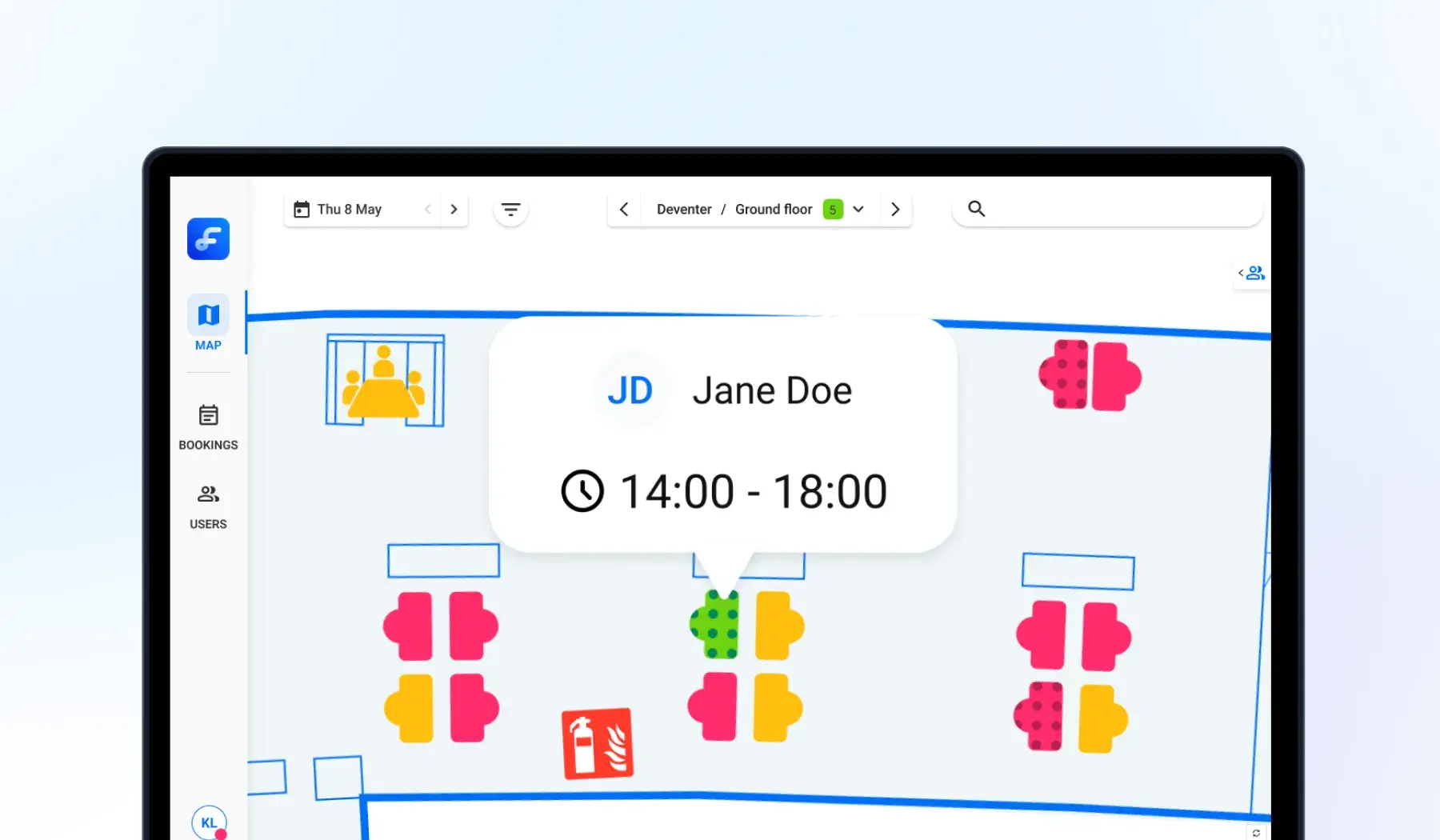
Flexwhere is a desk sharing tool that places strong emphasis on a visual, map-based experience as the foundation for employee coordination and decision-making around space and cost optimization. Instead of selecting a desk from a list, users interact with a real floor plan, choosing where to sit and seeing who else is in the office that day (although this feature is also available in many other desk booking tools).
Flexwhere’s free plan, called Basic, is designed for up to 25 users and includes the essential features for desk and meeting room booking.
According to its pricing page (October 2026), the free Basic plan does not include parking spot booking, the Microsoft Teams integration, calendar integrations, or automatic release of no-shows, and no Slack integration is listed. On the other hand, it includes several useful features beyond the core functionality, such as SSO, push notifications, the ability to find in-office colleagues, and user management.
What you get with Flexwhere’s Basic free plan:
Desk and meeting room scheduling
Visual floor plan, including editor
Custom bookings, push notifications,
iOS and Android apps
Flexwhere free plan limitations:
Available for up to 25 users
1 floor plan
Bookings up to 1 week ahead
5. Google Sheets
If you’ve ever worked for a company using the Google ecosystem, you’ve probably come across bookings managed through this platform. Google Sheets is not a dedicated desk booking tool, but with some effort, it can be used as a simple, free solution for managing desk reservations.
At its most basic, a shared spreadsheet can act as a booking grid, where rows represent dates and columns represent individual desks. Employees can enter their names into available slots, creating a transparent overview of who is sitting where on a given day. With features like data validation, you can limit inputs to a predefined list of users, while conditional formatting can visually distinguish between free and occupied desks.
For a cleaner user experience, companies might pair Google Sheets with Google Forms. Employees submit a booking request through a form by selecting their name, date, and desk. The responses are automatically stored in a spreadsheet, reducing the risk of manual errors and making the process more structured. Basic formulas such as COUNTIFS can then be used to identify duplicate bookings and highlight conflicts.
More advanced setups can include a second sheet that transforms raw booking data into a visual dashboard, giving managers and employees a clearer overview of desk occupancy. With additional customization using Google Apps Script, it is even possible to automate actions such as sending confirmation emails or flagging double bookings.
Despite these possibilities, Google Sheets has its limitations. It does not natively prevent booking conflicts in real time, lacks advanced features like user permissions, prioritization rules, or analytics, and can become difficult to manage as the number of users grows. For small teams or temporary setups, however, it remains a practical and cost-effective starting point for desk booking.
When a Spreadsheet Stops Working
Many small teams start exactly here, and in our conversations with office managers the same few signs come up when it stops being enough.
It depends on one person. “Every week I send out an email, I ask for people’s schedule, and I put it into a board. But there are times where I’m not in the office, so they find a random spot, and then the person whose spot it is comes in.” (Office coordinator, healthcare)
People stop updating it. “We’re using a Google Sheet. Everyone goes in, puts in what day they’re coming in and what desk they’re using. But it’s not really reliable, because people are coming and going.” (Office lead, non-profit)
One or two days a week run out of desks. “Even though it’s a small problem, 16 desks can still be a problem. People are sitting on the sofa, in the conference room.” (Office administrator, hybrid company)
Nobody can see who is actually in. A sheet records plans, not who turned up, so unused desks stay blocked.
At that point most teams do not want anything elaborate. As one office manager at a non-profit put it: “We don’t need anything that’s too flashy. I know I could manage this through a spreadsheet, but I’d rather have an app that’s just nice and easy for staff to use.”
6. Officely
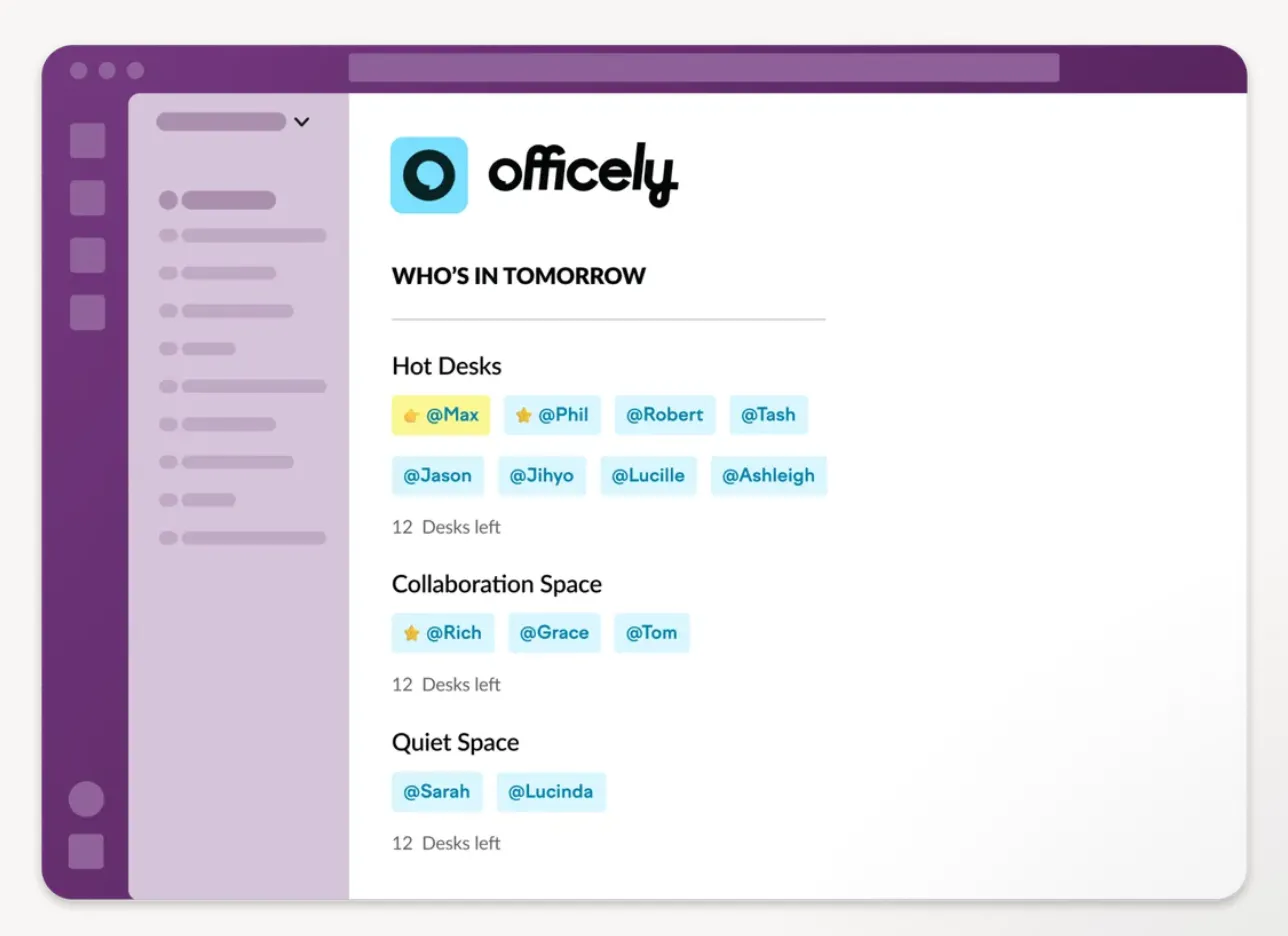
Officely is a hybrid workplace management SaaS that takes a different approach to app delivery compared to most tools on the market.
While many desk booking tools offer native Slack or Microsoft Teams integrations, Officely is built entirely within these platforms. Employees book inside Slack or Microsoft Teams, with no separate app to install, and admins get a browser-based dashboard for insights. This is a unique and widely praised approach that eliminates the friction of switching between multiple work apps. However, if your organization does not use Slack or Microsoft Teams, it can be a limitation.
Officely’s free plan is quite solid, offering most of the features available in the Premium plan, with the main limitation being a cap of five users. This makes it a strong option for small teams and a practical way to evaluate the platform before committing to a paid plan.
What you get with Officely’s free plan:
Officely’s free plan includes almost all features available in the Premium plan, with only a few exceptions. Among others, it covers the following features:
Desk, meeting room, and parking spot booking
Floor plans and office check-ins
Office analytics
Works in Slack and MS Teams
Officely free plan limitations:
5-users cap
Final Thoughts on Free Desk Booking Software
Free desk booking software can be a practical and accessible way to introduce structure into your workplace without upfront costs. While each tool comes with its own approach, strengths, and limitations, several options on this list offer real value and are well worth considering, whether you’re testing hybrid work, improving office coordination, or simply looking for a lightweight solution to manage shared spaces.
The key is to choose a tool that aligns with how your team works today, while giving you enough flexibility to adapt as your needs evolve. With the right solution, even a free plan can significantly improve visibility, collaboration, and day-to-day office experience.
If you’re looking for a tool that combines ease of use with a feature-rich free plan, Dibsido is a great place to start. You can get started with our free desk booking software right away.
Our platform is designed to empower businesses of all sizes to work smarter and achieve their goals with confidence.