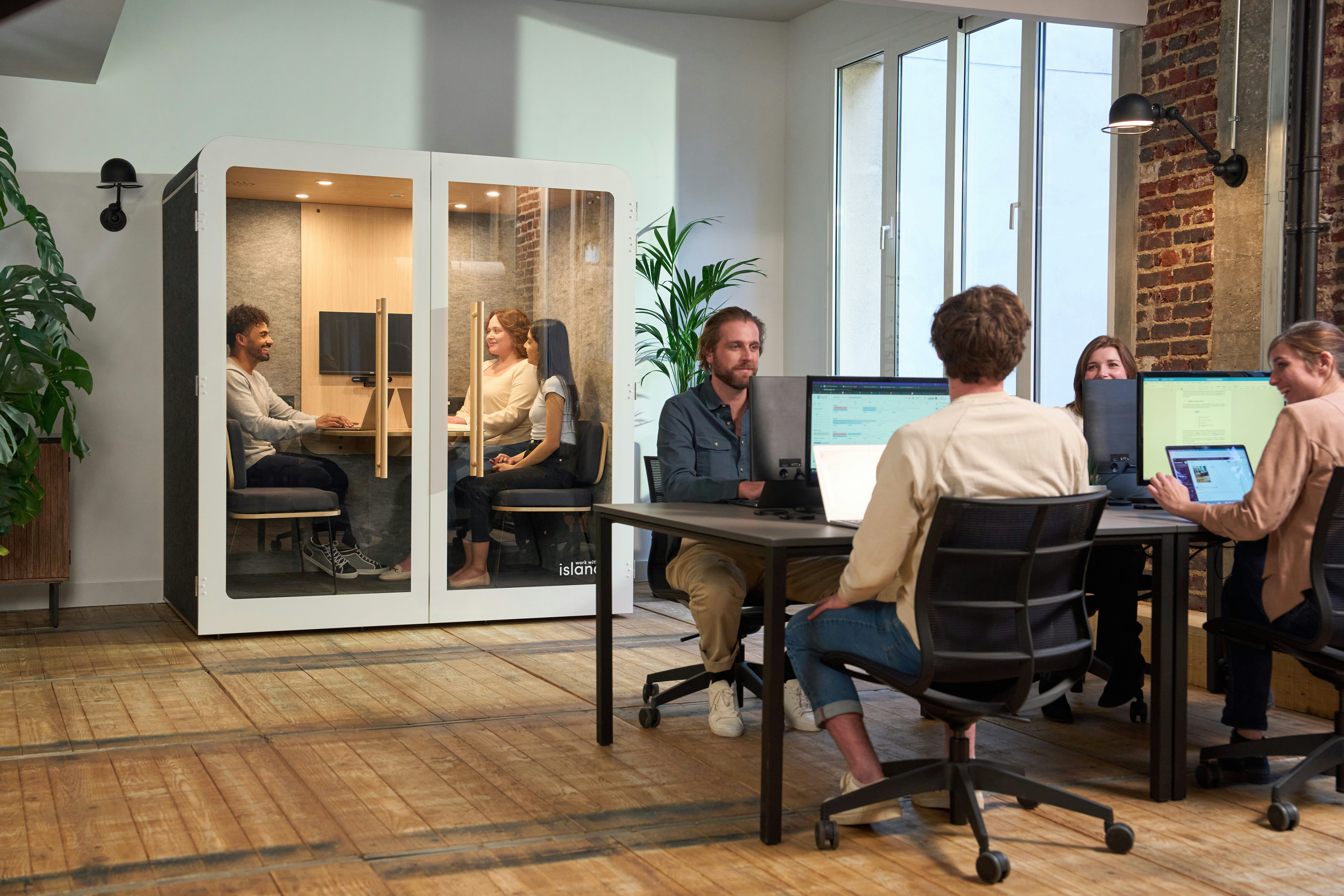
Hybrid work is now the default, not an exception, and it requires intentional coordination.
Hybrid work software creates a central layer that connects people, spaces, and workflows across office and remote environments.
The success of any solution depends less on features and more on integration, usability, scalability, and ease of implementation.
No single tool solves hybrid work. It requires a combination of communication, productivity, project management, workspace, analytics, security, and integration tools.
In just a few years, the way we work has shifted permanently. Today, hybrid is no longer an experiment or a temporary fix, it’s the default for a huge part of the workforce. According to a Chartered Institute of Personnel and Development report, around 74% of organizations now support hybrid work, turning what was once a pandemic response into a long-term operating model.
And it’s not just companies pushing it, employees actively want it. Globally, 83% of workers say hybrid is their preferred way of working, combining flexibility with in-person collaboration (source).
Let’s take a closer look at the key hybrid work software that enables flexible work and what to consider when selecting the right solution.
What Is Hybrid Work Software?
Hybrid work software is a category of tools designed to support how modern organizations operate when work is split between office and remote environments. It helps coordinate where people work and how they collaborate.
At its core, hybrid work software creates a central layer for coordination and visibility. It connects employees, office resources, and schedules into a system that allows organizations to function without relying on fixed routines or physical presence.
Some tools focus on managing space, others on aligning teams, and some provide analytics or integrate workflows across systems. The goal is not just to organize desks, but to make hybrid work predictable, usable, and scalable.
What to Evaluate in Hybrid Work Software
When evaluating hybrid work software, it’s easy to get lost in feature lists.
In practice, a few core dimensions determine whether a solution will actually work in your organization. Among the most important are the following:
Integration capabilities
User experience
Scalability
Implementation complexity
Customization
Support
1. Integration With Existing Tools
Software used in modern offices rarely exists in isolation. Seamless integration with workplace systems such as CRM platforms, SSO and identity providers, productivity and collaboration platforms, APIs for custom workflows, or IT service management tools is essential for successful adoption. When software connects seamlessly to tools employees already use, it becomes part of their workflow instead of an extra step.
2. User Experience and Adoption
Hybrid work software is used daily by a wide range of employees. That makes usability one of the most important evaluation factors. Complex systems with heavy dashboards or unclear navigation tend to fail outside technical teams. In contrast, intuitive interfaces and mobile availability encourage consistent usage.
The key question is simple: Can an average employee use the system without friction?
If not, adoption will suffer.
3. Scalability and Flexibility
Hybrid work evolves. Teams grow, office policies change, and usage patterns shift over time. Rigid tools often become bottlenecks as organizations mature, so scalability is something you should definitely pay attention to when evaluating software for your hybrid work environment.
Simply put, scalability refers to the ability of a system to expand or contract in response to changing business demands. It is essential not only for supporting growth, but also for adapting during periods of uncertainty and scaling operations as needed.
Some examples of “scalability” typical for hybrid work software include scaling the number of users up or down, supporting multiple office locations, adapting to evolving workplace policies, integrating new tools or systems, handling increased communication volume, managing access and permissions across teams, and supporting different time zones or regional requirements.

4. Implementation and Operational Complexity
One of the biggest concerns when introducing hybrid work software is adding complexity.
Teams often hesitate because they don’t want:
another system to maintain
another interface to manage
another source of friction
That’s why it’s important to evaluate how quickly the tool can be implemented, how much ongoing maintenance it requires, whether it simplifies or complicates workflows
The best solutions reduce operational overhead rather than increasing it.
5. Customization and Control
Every organization operates differently. Policies, workflows, and responsibilities vary depending on team structure, company culture, and the tools already in place.
Hybrid work software should be flexible enough to reflect these differences rather than enforce a rigid way of working.
6. Support
Even the most feature-rich platform can quickly become a bottleneck if your team encounters issues without timely, knowledgeable assistance. Reliable support ensures smooth onboarding, faster troubleshooting, and continuous optimization as your needs evolve, especially in hybrid environments where downtime or confusion directly impacts distributed teams.
Hybrid Work Software: The Essential Tools You Need to Make It Work
Hybrid work sounds simple on paper. Work from home sometimes, come to the office sometimes.
In reality, it’s messy.
People show up on different days. Teams miss each other. Projects stuck because of unassigned responsibilities. People do not have access to what they need. Offices are half empty one day and overcrowded the next. And suddenly, things that used to just “work” now need coordination.
That’s where hybrid work software comes in.
It’s not just one tool. It’s a mix of different systems that together make hybrid work function. Let’s look at the most important ones for managing a hybrid work environment, along with examples.
1. Communication Tools: Your New Office

Examples:
Slack
Microsoft Teams
Zoom
Why they matter:
In a hybrid setup, communication no longer happens only in the office. It happens through tools.
Platforms like Slack, Microsoft Teams, and Zoom become the space where conversations and meetings happen, decisions are made, and context is shared.
If these tools don’t work well, hybrid work breaks quickly. People lose track of discussions, meetings become harder to coordinate, and everything slows down.
2. Productivity Suites: Where Work Actually Happens

Examples:
Google Workspace
Microsoft 365
Why they matter:
These tools provide the shared working environment for documents, files, and knowledge.
They support hybrid work by enabling real-time co-editing, centralizing information, and especially allowing access from anywhere.
This ensures that work is not tied to a physical location but remains accessible and collaborative across environments.
3. Project Management: Keeping Everyone Aligned

Examples:
Asana
Trello
Monday.com
Why they matter:
Hybrid work removes visibility into who is doing what.
Project management tools restore that by tracking tasks and responsibilities, aligning teams across time zones, and providing a single source of truth for work. They make work visible. Who’s doing what, what’s blocked, what’s next.
They reduce dependency on meetings and ensure work progresses even when teams are not physically together.
4. Desk Booking Tools: Key to On-site Employee Experience

Examples:
Desk.ly
Why they matter:
In hybrid setups, offices are no longer static. Desks are shared, rooms are booked dynamically, and people don’t have fixed spots anymore.
This is where desk booking, or more generally office resource booking tools, come in.
Desk sharing tools bring structure to this environment by allowing employees to reserve desks, meeting rooms, or even parking spaces in advance, according to their needs. This encourages them to come to the office, meet colleagues in person, and enhances the overall workplace experience.
Their true value goes beyond simple booking. They help employees choose preferred spots alongside their colleagues, plan their office days, and avoid the uncertainty of arriving without knowing what will be available.
Employees can see who else will be in, align their schedules with teammates, and plan in-person collaboration intentionally. Instead of showing up and hoping for overlap, teams can make the most of their time on-site, turning the office into a place for connection rather than coincidence.
If you’d like a deeper insight into these tools, check out our blog on the best desk booking software solutions on the market.
5. Workplace Analytics and Insight Tools: Making the Office Usable Again

Examples:
Dibsido
Skedda
Envoy
Why the matter:
In hybrid environments, it’s no longer obvious how the office is actually being used. Some days are busy, others are nearly empty, and without data, it’s difficult to understand whether space, policies, or schedules are working as intended.
Workplace analytics tools bring visibility into this uncertainty by tracking how employees use the office over time.
Very commonly, workplace analytics capabilities are integrated in office resource booking platforms like Dibsido. They provide insights into how office space is actually used. They track occupancy, identify peak usage days, and reveal patterns in how employees move through the office (employee behavior).
Over time, this data becomes essential for decisions about office layout, capacity, and even real estate strategy, ultimately supporting smarter financial decisions.
6. Security and Access: Keeping Things Under Control

Examples:
Okta
Azure Active Directory
Why they matter:
Hybrid work means people are accessing systems from different locations, devices, and networks. That makes identity and access management critical.
Tools like Okta and Microsoft Entra ID ensure that the right people have access to the right things, no matter where they are working from by providing:
secure authentication (SSO, MFA)
consistent access control
protection of company data
This layer is often invisible, but without it, hybrid work becomes risky very quickly.
7. Integration Tools: Making Everything Work Together

Examples:
Zapier
Make
Why they matter:
In a hybrid work environment, teams rely on multiple systems, including communication tools, calendars, workplace apps, HR systems, and more. Without integration, data has to be transferred manually, processes break, and users end up duplicating work.
While many professional workplace solutions come with native integrations out of the box, key integrations are sometimes missing, and you need to connect them yourself.
Platforms like Zapier or Make act as a bridge between different tools that would otherwise operate separately. They help turn a collection of tools into something that actually feels like a system.
Final Thoughts: The Big Picture
Most hybrid work setups don’t fail because companies lack tools.
But without the right ones in place, making hybrid work actually function becomes much more difficult.
Each category of hybrid work software we’ve covered solves a different part of the problem. Together, they create a system that brings structure to an otherwise unpredictable environment. They reduce guesswork, improve visibility, and make it easier for teams to coordinate, even when people rarely meet face to face.
When these tools are well integrated and aligned with how people actually work, something shifts. The office becomes more intentional, collaboration more natural, and decisions more data-driven.
Hybrid work doesn’t need more complexity. It needs the right combination of tools that quietly support how work gets done.
Which hybrid work software do you actually need?
A hybrid office rarely needs one more all-in-one platform. It already runs on the big pieces - a communication tool, a productivity suite, a project tracker. What usually breaks when people split their week between home and the office is smaller and more specific: nobody knows who is coming in, which desks or rooms are free, or whether the office is half empty on a Monday and jammed on a Wednesday. That is the gap the “hybrid work software” searches are really about, and it is the part most offices bolt on last.
So when you compare hybrid work software, separate two layers:
The tools work happens in - chat, video, documents, tickets. You almost certainly have these already, and swapping them is a large project with little upside.
The tools that make a shared office usable - desk booking, meeting room booking, parking, and the usage data behind them. This is the layer a hybrid model actually adds, and it is where a small or mid-sized office gets the fastest return, because it turns “we think Tuesdays are busy” into a number you can act on.
What to look for in the workplace-booking layer
One app for desks, rooms, and parking - staff book a desk, a meeting room, or a parking space from the same place, instead of three disconnected tools. A single all-in-one plan also means one bill instead of three.
Booking from where people already work - the strongest hybrid work tool integration is the one nobody has to think about. With Dibsido, staff book desks and meeting rooms from Microsoft Teams, desks and parking from Slack, and everything from the web and mobile app, so there is no extra portal to adopt. Integration is the criterion buyers raise most, and it is covered in the evaluation checklist in evaluating hybrid workplace software.
Usage data you can act on - which desks and rooms get used, which sit empty, and how that moves week to week. That number is what tells you whether to add space, cut it, or share it. See how to calculate office space utilization for the method.
No-show handling - when nobody checks in, an unclaimed desk, room, or parking booking can release automatically, so a booking that never showed up does not block the person who actually came in. More on that pattern in desk booking no-shows.
A free way to start - Dibsido's free plan covers up to 10 users, with desk booking, one meeting room and up to five parking spots, no time limit and no credit card, so a hybrid office can prove the workflow before paying for it. Current plans and prices are on the pricing page.
The point of the workplace-booking layer is not to add another dashboard. It is to let people reserve what they need, show the office what is actually being used, and hand whoever runs the office the facts to make a call. The software surfaces the numbers and runs the bookings; the decision about how much space you keep, and who gets which desk, stays with you. If you want the operating side of that, hot desking best practices covers the policies that make shared seating work.
Hybrid work software FAQ
What software do you need for hybrid work?
Most hybrid offices need four things: a communication tool, a productivity suite, a project tracker, and a workplace-booking layer for desks, meeting rooms, and parking. The first three you probably already run. The one a hybrid model adds is the booking layer, because once people split their week between home and the office you need a way to reserve a desk or room, see who is coming in, and know which spaces actually get used. Dibsido covers that booking-and-analytics layer; it does not replace your chat, documents, or tickets.
How do you choose hybrid work software for a small or mid-sized office?
Separate the tools work happens in from the tools that make a shared office usable, and focus the decision on the second group. For a small or mid-sized hybrid office the fastest return comes from one app that handles desk, room, and parking booking, integrates with the tools staff already use (Microsoft Teams, Slack, calendars), and reports real usage so you can right-size the space. Look for a free tier so you can test adoption before committing, and check the evaluation criteria in the guide above.
Do you need separate software for desk, room, and parking booking?
No. Running three separate tools for desks, meeting rooms, and parking means three logins, three bills, and no single view of how the office is used. A combined platform lets staff book any of the three from one app and gives the office one occupancy picture across all of them. Dibsido books desks, rooms, and parking from one web and mobile app, and the all-in-one plan bundles the three.
How do you know if your hybrid work software is actually being used?
Look at the usage data, not the licence count. Booking and check-in records show which desks, rooms, and parking spots were reserved, which were actually claimed, and which sat empty, broken down by day of the week. That is what tells you whether your hybrid policy matches reality, whether you have too much or too little space, and where a shared-desk ratio would help. The tool produces the number; the decision about what to do with the space stays with the office.
Our platform is designed to empower businesses of all sizes to work smarter and achieve their goals with confidence.