What Is Hot Desking?
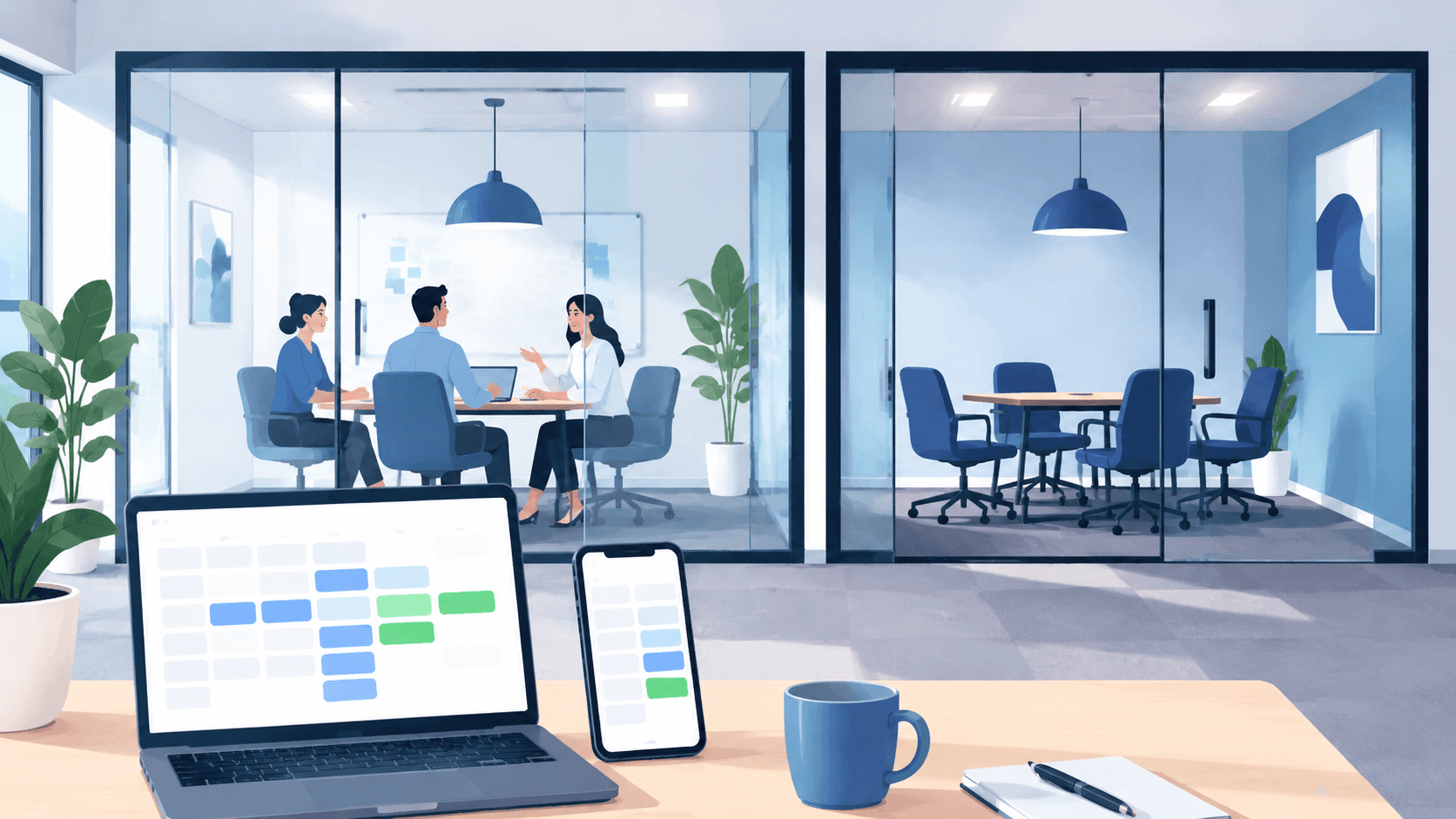
Hot desking is a modern office setup where employees don’t have assigned desks. Instead, they book an available workspace via desk booking software or on-demand when they arrive at the office.
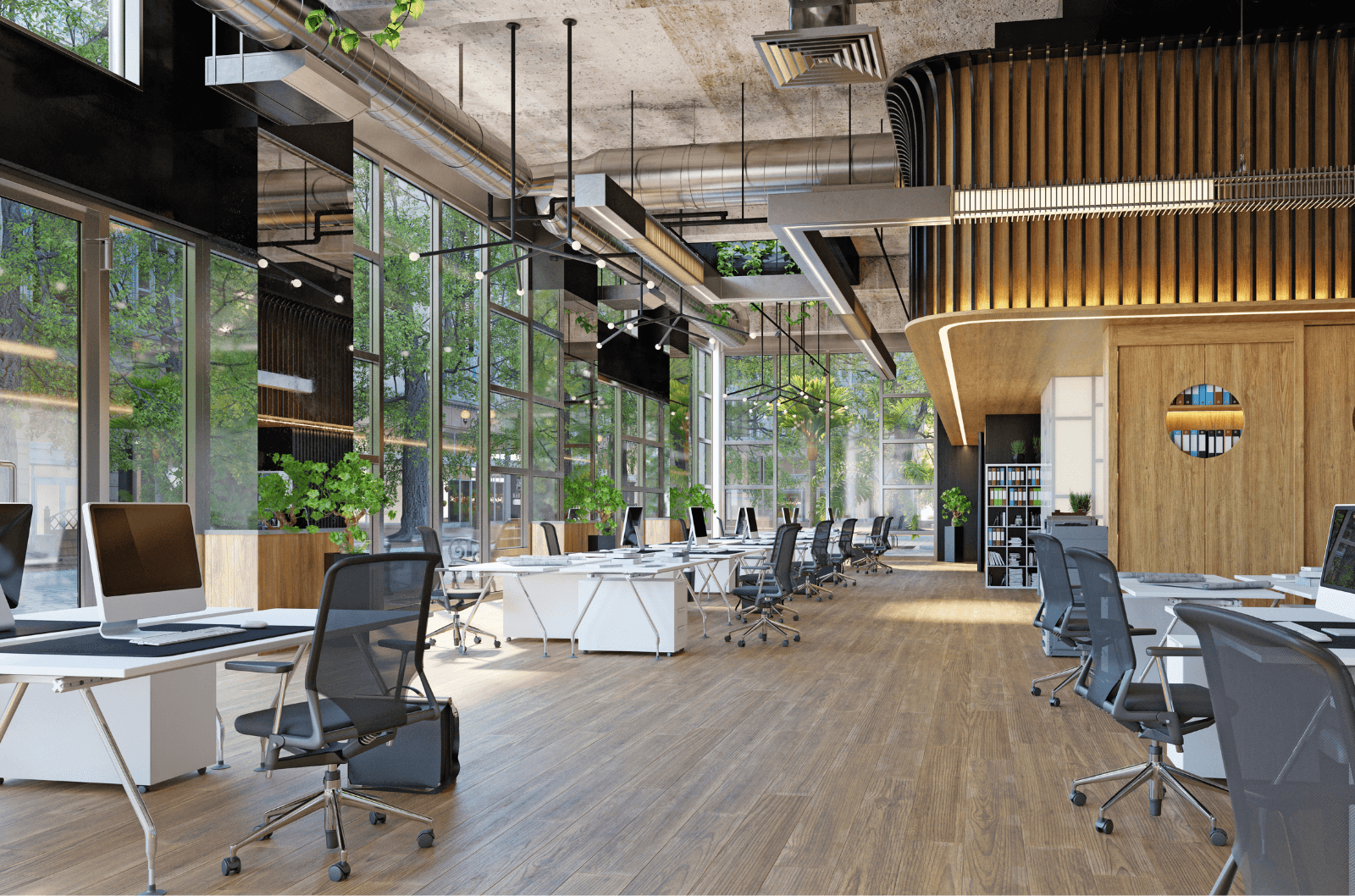
This approach is gaining popularity, especially in hybrid workplaces where employees divide their time between home and the office. When not everyone is in every day, having fixed desks for each person starts to feel like wasted space and money. Hot desking helps companies optimize their offices by making the most of the space they already have.
Today, hot desking is supported by desk booking systems (typically offered as SaaS), which provide better control over space usage, give employees more flexibility, and help optimize costs.
Why is Everyone Talking About It?
The Covid pandemic changed working habits dramatically. Many businesses recognized this shift as an opportunity, not only to offer employees a more flexible and satisfying work experience, but also to reduce costs by downsizing unnecessary office space.
Since then, hybrid work has become the new normal, and hot desking is quickly shifting from a trend to standard practice. As teams come and go throughout the week, assigning a permanent desk to every employee just doesn’t make sense, especially when those desks sit empty half the time.
Hot desking helps companies adapt by making office space more flexible, efficient, and cost-effective.
Who Uses Hot Desking?
Desk sharing is used by a variety of modern businesses and organizations seeking to optimize office space utilization.
Some common users of hot desk management software include:
Corporate offices: Many corporate offices, especially those with hybrid or remote work policies, implement hot desking software to efficiently manage desk availability for in-office employees. This allows them to reduce dedicated office space.
Government agencies: Public sector organizations use hot desk booking systems to enable employees to reserve desks when working from multiple locations. This improves space usage across sites.
Educational institutions: Schools and universities rely on desk reservation systems to manage computer labs, study spaces, and other shared campus resources for students and faculty.
Coworking spaces: Coworking spaces use hot desking to allow members to reserve any open desk or office on-demand. This provides flexibility and promotes community.

What Are the Hot Desking Advantages and Disadvantages?
Hot desking has become a go-to strategy for modern workplaces, especially those embracing hybrid work models. It's a flexible, cost-effective, and space-saving model, but it’s not without its challenges.
Advantages of hot desking:
1. Better use of office space – Helps companies downsize or repurpose space, cutting real estate and utility costs.
2. Supports cost efficiency – Fewer desks = lower infrastructure, cleaning, and maintenance expenses.
3. Encourages flexibility – Promotes a more agile, adaptive work culture.
4. Fosters Collaboration – May break down silos and encourage communication across departments.
5. Enables hybrid work models – Aligns well with employees who work part-time from home.
Disadvantages of hot desking:
3. Reduced team cohesion – Colleagues might not sit near each other consistently, which can disrupt team dynamics.
1. Lack of Personalization – May reduce employees' sense of ownership or comfort.
2. Potential for daily inconvenience – Searching for a suitable or preferred desk can waste time and cause frustration. Without good systems, it may lead to double bookings or desk hoarding.
4. IT and equipment challenges – Inconsistent setups can cause compatibility issues or delays. Users may face problems with docking stations, monitors, or connectivity.
5. Hygiene and cleanliness concerns – Shared desks require stricter cleaning policies and hygiene awareness.
6. Rules of Effective Hot Desking
While the concept sounds simple, putting it into practice can be a bit tricky, especially in large environments. Without clear rules, the right tools, and a thoughtful layout, hot desking can create more confusion than convenience.
In the sections below, you’ll find proven best practices to make hot desking work. Not just in theory, but in real offices, with real people.
Whether you're setting up hot desking for the first time or fine-tuning your current setup, these tips will help you create a workspace that supports your team and your goals.
1. Start by setting clear policies
Hot desking only works when everyone knows how it works. That’s why having clear, written policies is essential from day one. A ready-made hot desking policy template covers booking windows, no-shows and fixed-seat exceptions in five short sections.
Start by defining how hot desking functions in your office.
Can desks be used freely, or must they be booked in advance?
Will there be different zones?
Are some desks reserved for certain teams?
What happens if someone leaves belongings behind?
What are the booking rules?
What’s the cancellation policy?
For example, one of the most important rules to establish is a clean desk policy. Every employee should leave the workspace as they found it. No clutter, no post-it notes, no coffee cups left behind. This helps keep the environment welcoming and ready for the next person.
Also consider setting a booking window, such as allowing desk reservations up to one week in advance. Too much freedom can lead to confusion or worse, desks sitting “reserved” but unused.
2. Implement the right hot desk booking software
Trying to manage hot desking through spreadsheets or sticky notes? That’s a recipe for frustration. A dedicated desk booking system is a must if you want things to run smoothly.
Software should support your policies, not shape them. Select a hot desking solution that aligns with your policies, gives you flexibility and ease of use. The best hot desk booking software comes as SaaS and delivers benefits for office managers such as:
Ease of onboarding your team
Centralized control over bookings, zones, and desk types
Real-time visibility into desk occupancy
Easier enforcement of workplace policies
Efficient space planning and optimization
Reduced administrative workload and manual coordination
Data and reports for decision-making (e.g. usage trends, peak days)
Support for compliance with health/safety guidelines
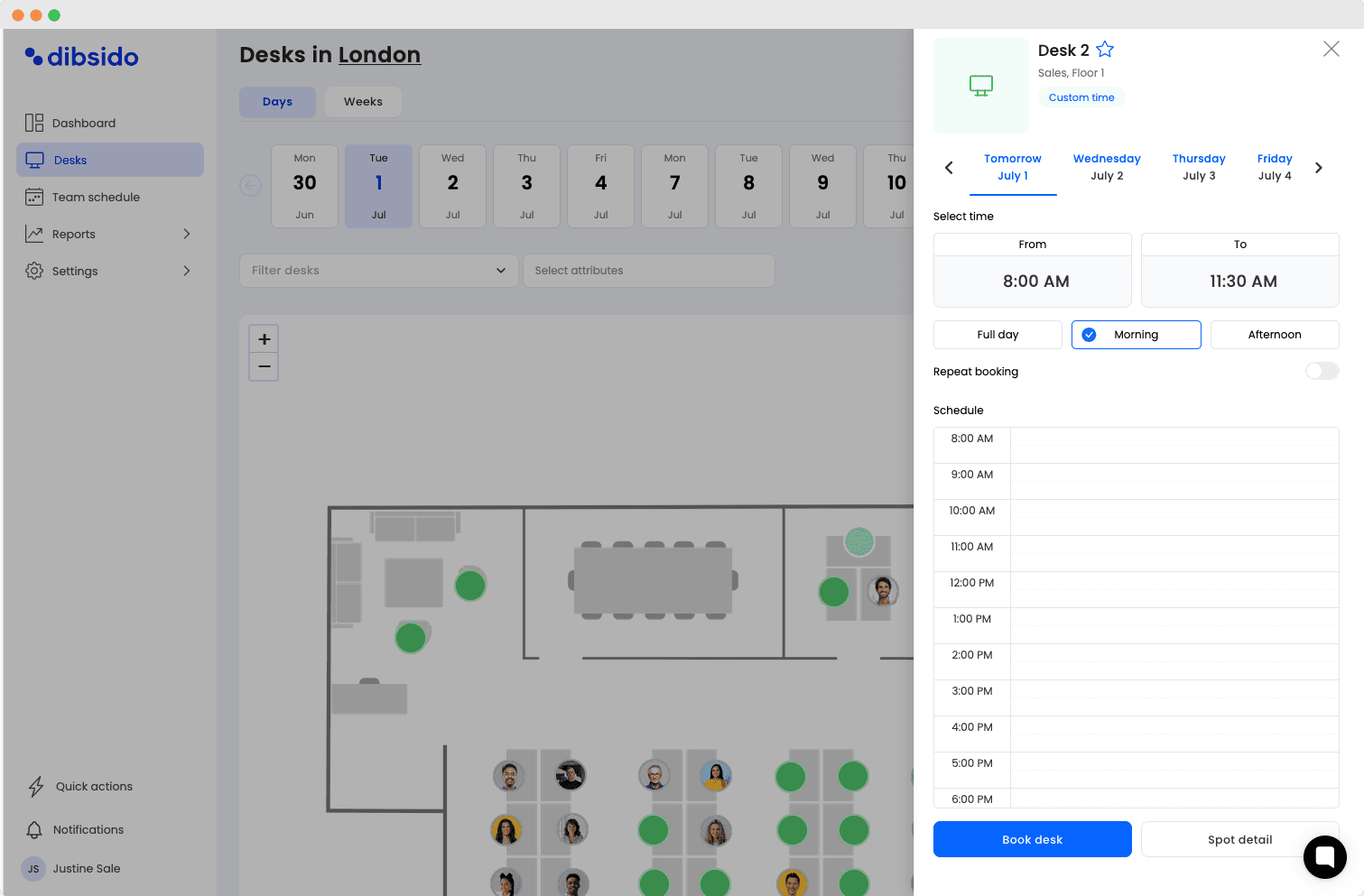
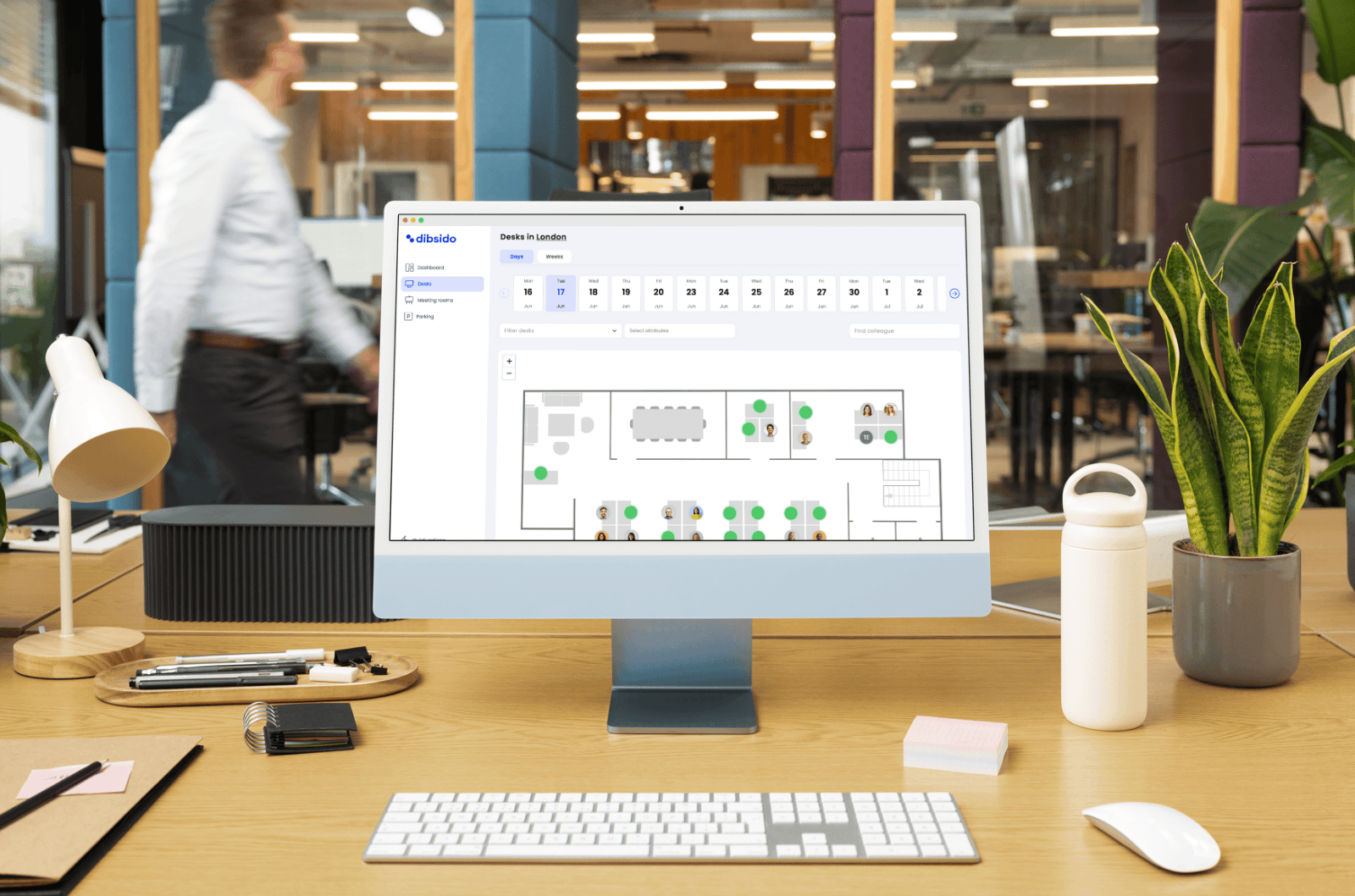
Hot desking software like Dibsido makes it easy for employees to see available desks and reserve them in just a few clicks. There are several software solutions on the market that combine hot desking and office hoteling features. Some are better suited to smaller businesses, while others are designed for the needs of larger organizations. Others, like Skedda, Deskbird, or Envoy, are broader workplace booking platforms. If they’re on your shortlist, our Dibsido vs Skedda, Dibsido vs Deskbird, and Dibsido vs Envoy comparisons show how the options differ in pricing, setup, and features. For an overview of available options, see our article on the Best Office Hoteling Software Solutions, or try Dibsido for yourself to get hands-on experience.
The best systems deliver features such as interactive floor maps, desk booking calendars with attributes and filters, usage analytics and reporting for data-driven decisions, access controls and permissions to restrict bookings, and mobile apps. They also provide robust integrations with third-party tools such as chat platforms (MS Teams, Slack), identity providers (Google, Microsoft Login, Entra ID), and calendars like Google or Outlook.
Navigate to our dedicated article on choosing the best hot desk booking software to learn more.
3. Ensure everyone understands how hot desking works
Even the best system won’t work if people don’t understand how to use it. That’s why a short onboarding session or a simple step-by-step video guide to hot desking can make the difference.
Show employees how to use the desk booking software, explain the desk reservation policies, outline the do’s and don’ts of using a shared desk, and let them know who to contact in case of any issues.
Just as important, leadership should embrace the system, too. When managers and team leads also use hot desks, it sends a clear message that flexibility is for everyone, not just certain roles.
By normalizing this behavior, you reinforce that hot desking is part of your culture, not just a logistical solution, but a reflection of how your company works: agile, open, and inclusive.
We talk about this topic deeper in our article focused on employee onboarding.
4. Balance flexibility with personal comfort
Even in a shared environment, employees still need a sense of stability and support. If people know they have a safe space for their job, they’ll be more willing to embrace a non-fixed workspace.
One of the key hot desking best practices is zoning. Not every desk is suited for every type of work. Create quiet zones for deep focus, collaborative zones for team huddles, and perhaps even dedicated desks for departments that need to sit together more often. This thoughtful approach helps everyone find the right fit, not just any empty seat.
Also, let employees reserve recurring time slots at the same desk to maintain consistency and personal comfort.

5. Make workplace setup seamless
Few things frustrate employees more than struggling with cables, missing adapters, or incompatible setups. A seamless experience is essential to making hot desking work smoothly.
Equip each desk with plug-and-play setups such as adjustable chairs, dual monitors, universal docking stations, and pre-configured devices so employees can settle in quickly and work comfortably.
Also, make sure there’s easy access to tech support if something goes wrong. Whether it’s a QR code at each desk, a hotline, or an internal chat system, fast help keeps productivity flowing and minimizes downtime.
A one-size-fits-all approach just doesn’t cut it when people have different working habits and needs.
6. Collect feedback and improve as you go
Hot desking isn’t a “set it and forget it” system. Even if you use good hot desking software that automates manual work, your environment evolves with your employees’ needs.
To keep the system running smoothly, conduct regular surveys to gather employee feedback. Maybe people want more collaborative areas or quieter corners. You won’t know unless you ask.
Also, take advantage of the analytics provided by your hot desking solution to make data-informed adjustments. For example, Dibsido offers insights into user behavior, detailed workspace usage, and other useful stats, such as the busiest days, the ratio between bookings and actual check-ins, and more, helping you identify overbooked zones, fine-tune policies, and adjust layouts based on real data (see our article on how desk booking software impacts the future of office design).
These ongoing improvements not only keep your setup efficient but also contribute to greater employee satisfaction.
Hot Desking Policy: What to Include (With an Example)
The six rules above tell you what tends to work. A hot desking policy is the next step: a short written agreement that sets out how people book, use and give up shared desks, applied the same way for everyone. Advice is optional; a policy is not. It answers the everyday questions before they turn into friction: How do I get a desk? What if two of us want the same one? What happens if I book and do not come in? Where do I put my things? If you are still deciding whether to share desks at all, start with the complete guide to desk sharing; the policy is what you write once you have decided.
The cost of skipping it is a steady drip of small frictions. People stop trusting the booking system if a desk can be taken by whoever arrives first. Teams lose the one thing they came in for when nobody ends up sitting near their colleagues. And booked-but-empty desks make a half-used office look full, which is how companies end up paying for space they do not need. A one-page policy turns a hundred small judgement calls into one shared expectation. You do not need a legal document: eight short sections a new joiner could read in two minutes.
How booking works
State the basics: people book a desk rather than simply taking one, whether booking is required or just encouraged, and any limits. Limits are where fairness lives, so decide how far in advance someone can book and how many days ahead they can hold. A booking tool lets an admin set these rules once so they apply automatically.
Fairness and priority
Say plainly whether anyone gets priority and why. Accessibility and medical needs are the clearest case and belong here. If your office has anchor days when a team is expected in, note how desks are protected for that. Fairness is not about treating everyone identically; it is about the reasons for any difference being written down and visible.
Check-in and no-shows
This is the section that keeps the office honest. Ask people to check in when they arrive, and state that a desk not claimed within a grace period is released back to the pool. Ask people to cancel when plans change. Frame no-shows as a system issue rather than a character flaw, because most of them are. There is a fuller playbook in the guide to desk booking no-shows, but a single sentence in the policy is enough to set the expectation.
How long you can hold a desk
Decide whether a booking is for the full day, a morning or afternoon, or a set number of hours, and whether people can book recurring desks. Recurring bookings are convenient, but they are also how a shared office quietly re-grows assigned seats, so if you allow them, say who can and how many.
Clean desk and storage
Hot desking only works if the next person finds an empty, usable desk. That is why a clean desk policy is part of nearly every hot desking policy. Ask people to clear everything when they leave and to keep nothing in the desk overnight. This rule is only fair if you give people somewhere to put their things.
Personal items and hygiene
Be realistic about the lived experience. People who hot desk carry their laptop, chargers and daily essentials with them, and if there is nowhere to put anything they will resent the whole model. Provide lockers or day storage and say so in the policy. Cover the small hygiene basics too: wipes at each desk, cleaning your spot when you leave, and what to do with a shared keyboard or headset.
Teams and neighbourhoods
If you want teams to sit together, design for it rather than hoping for it. Many offices assign a zone or a cluster of desks to a team while keeping the individual seats bookable inside it. Write down how that works so people know where their team tends to land and can plan their day around it.
Exceptions
Write the exceptions down instead of handling them quietly. A few people may keep a fixed or pinned desk for accessibility, specialist equipment or a genuine full-time on-site role. Exceptions handled openly, with a clear reason, read as fairness. The same exceptions handled as private favours are what erode trust in the whole policy.

A short example hot desking policy
Here is a one-page version you can adapt. Change the numbers to fit your office; the shape is the point.
Booking. Book your desk through the app before or when you arrive. You can book up to two weeks ahead and hold up to five days at a time. Do not sit at a desk someone else has booked.
Fairness. The booking window opens at the same time for everyone. Colleagues with accessibility or medical needs can request a priority or pinned desk. On team anchor days, your team zone is held for your team until 10:00.
Check-in and no-shows. Check in when you arrive. A desk that is not checked in within 30 minutes of your booking start is released for someone else. If your plans change, cancel so the desk goes back into the pool.
Clean desk. Clear the desk completely when you leave: no papers, no personal items, nothing left in or under the desk. Use your locker for anything you keep at the office.
Storage and hygiene. Every desk sharer gets a locker. Wipe your desk and any shared equipment when you finish for the day.
Teams. Each team has a home zone. Seats inside it are bookable, so you sit near your team without a fixed chair.
Exceptions. Fixed and pinned desks are granted for accessibility, specialist equipment or full-time on-site roles, and are listed with the office manager.
That is a complete, workable policy. It fits on one page, and there is nothing in it a new joiner could not follow on their first morning. The mechanical parts are much easier to keep when your desk booking tool enforces them for you: set the booking window, run check-in, and automatically release desks nobody claims, so the rules apply themselves. What the software does not do is decide the policy or handle the exceptions. It tracks, flags and releases; people set the rules and weigh the edge cases.
Hot Desking Policy FAQ
What is a hot desking policy?
A hot desking policy is a short written agreement that sets out how people book, use and release shared desks in an office where seats are not permanently assigned. It covers how to reserve a desk, how fairness and priority work, what happens on a no-show, clean desk expectations, storage and exceptions. The goal is to remove daily friction so the office feels predictable rather than a scramble for a seat.
What should a hot desking policy include?
A practical hot desking policy covers eight areas: how booking works and any limits, how fairness and priority are handled, check-in and no-shows, how long someone can hold a desk, clean desk and storage rules, personal items and hygiene, how teams and neighbourhoods sit together, and exceptions for accessibility or medical needs. Keep each section to a few plain sentences so the whole policy fits on one page.
What are the rules for hot desking?
Typical hot desking rules are: book your desk before or on arrival rather than just taking one, check in when you get there so unused desks are released, cancel if your plans change, clear the desk completely when you leave, store personal items in a locker rather than on the desk, and follow any priority rules for accessibility needs or office days. The exact rules are your choice; what matters is that they are written down and applied consistently.
How do you make hot desking fair?
Fairness comes from clear, visible rules that apply the same way to everyone, not from goodwill. Common fairness measures are a booking window that opens at the same time for all, limits on how far ahead or how many days people can book, priority for accessibility or medical needs, and releasing no-show desks so a booked-but-empty seat goes back into the pool. Utilization data helps you check the rules are working rather than just assuming they are.
Do you need a clean desk policy for hot desking?
Yes. Hot desking only works if the next person finds an empty, usable desk, so a clean desk expectation is part of nearly every hot desking policy. It usually means clearing all papers and personal items when you leave, taking nothing home in the desk, and using a locker for anything you keep at the office. Pairing it with lockers or storage is what makes a clean desk rule realistic rather than resented.
How do you handle hot desk no-shows in a policy?
State plainly that a booked desk which is not checked in within a grace period is released for others to use, and ask people to cancel when plans change. Treat no-shows as a system issue first: make cancelling as easy as booking and add a check-in step, then use the data to spot the few repeat patterns and have a conversation rather than jumping to penalties. The aim is recovered desks and trust, not punishment.
Can employees keep a fixed desk under a hot desking policy?
Often yes, as a documented exception. Many hybrid offices run a mix: most desks are shared, but a few are permanently assigned or pinned for people with accessibility needs, specialist equipment or a genuine full-time on-site role. The important thing is that these exceptions are written into the policy with a clear reason, so a fixed desk reads as a fair adjustment rather than a privilege nobody else understands.
How do you introduce a hot desking policy without pushback?
Explain the why, involve people early, and start with support rather than enforcement. Share the problem the policy solves, ask teams what would make shared desks work for them, keep the first version short, and give storage and a simple booking tool before you ask anyone to give up their old seat. Announce mechanical changes like desk release in advance, and revisit the policy after a month using real usage data instead of anecdotes.
Conclusion: Hot Desking Done Right
Hot desking doesn’t have to be chaotic. With the right strategy, tools, and policies, it becomes a smart way to save space, encourage collaboration, and support your hybrid workforce.
Let’s recap:
Set clear desk booking policies
Choose an easy-to-use booking system that supports your needs
Ensure everyone understands how hot desking work
Balance flexibility with comfort and personalization
Ensure the workplace setup is seamless for an employee
Use data and feedback to continuously improve
Ready to take the next step? Try Dibsido, a flexible, user-friendly desk booking software proven by your peers. You can try it for free and benefit from a free version for up to 10 users.
Our platform is designed to empower businesses of all sizes to work smarter and achieve their goals with confidence.